
Best AI Coding Assistants for VS Code in 2026
Introduction
Writing code has always been a core part of modern software development. Beyond just writing code, developers spend hours debugging, searching for documentation, writing tests, refactoring existing code, and trying to understand unfamiliar projects. This is where AI coding assistants can prove incredibly useful.
However, the challenge lies in the sheer number of AI coding tools, extensions, and agent-based developer tools currently available for VS Code. Some excel at auto-completion, while others can comprehend entire repositories, edit multiple files, execute terminal commands, and handle complex tasks with minimal supervision.
A wrong choice, however, could lead to wasted money and make your workflow more difficult rather than faster. But there is no need to worry; there are many coding assistant tools available today designed to simplify your work. You might be wondering if you should use every new tool that comes along.
My answer is no; you don’t need to use all of them—simply choose the ones that suit your specific needs. In this guide, I will compare the best AI assistants for VS Code in 2026 and help you determine which one is the best fit for you. I will also discuss their pros and cons to assist you in selecting the ideal tool for your workflow.
Quick Answer: For most VS Code users, GitHub Copilot is the best choice due to its deep integration with VS Code and GitHub. Cline is an excellent option for developers seeking an open-source, highly customizable agent. Gemini Code Assist is a strong contender for developers who want Google’s AI capabilities directly within VS Code.
Continue is particularly popular among developers who prefer open-source and customizable setups. If you want a more agent-centric experience while staying within the VS Code workflow, Windsurf is worth considering. Amazon Q Developer is especially useful for AWS-focused development.
What Is an AI Coding Assistant?
An AI coding assistant is a software development tool that uses artificial intelligence to help programmers write, understand, modify, test, and debug code.
Unlike traditional auto-complete, modern AI coding assistants can understand instructions given in natural language and, in some cases, work across multiple files simultaneously.
For example, instead of writing a function manually, you could say:
“Create a login form using React and validate the email and password fields.”
The AI assistant can generate the necessary code and explain how it works.
More advanced coding agents can do much more, such as:
- Reading files in your project
- Searching your codebase
- Creating new files
- Editing existing files
- Running terminal commands
- Writing tests
- Fixing errors
- Refactoring code
- Explaining unfamiliar code
- Planning multi-step development tasks
VS Code has also rapidly adopted agent-based development. Its current agent platform allows developers to use various agents and models to perform development tasks directly within the editor.
How AI Coding Assistants Work in VS Code
Most AI coding assistants use large language models to understand your prompt and the associated code context.
A simple workflow for this looks something like this:
Your instruction → Code context → AI model → Suggested solution → Developer review → Code modification
For example:
- You highlight a function.
- You ask the assistant to find a bug.
- The tool analyzes the selected code and its surrounding context.
- It suggests a solution.
- You review the changes.
- You accept the solution or modify it.
- You run your tests.
The quality of the response depends largely on the context provided to the model.
That is why modern assistants focus more on codebase information rather than just auto-completion.
Best AI Coding Assistants for VS Code
Here are the leading options worth considering in 2026:
| AI Assistant | Best For | VS Code Support | Agent Features | Free Option |
|---|---|---|---|---|
| GitHub Copilot | Best overall | Excellent | Yes | Yes |
| Cline | Open-source agent | Excellent | Yes | Extension is free; model usage varies |
| Gemini Code Assist | Google AI users | Excellent | Yes | Yes |
| Windsurf | Agent-focused development | Plugin available | Yes | Yes/varies |
| Continue | Custom/open-source workflows | Excellent | Yes | Yes |
| Amazon Q Developer | AWS development | Excellent | Yes | Yes |
| Tabnine | Enterprise/privacy-focused teams | Excellent | Yes | Plan dependent |
The important point is that these tools are not identical. Some are traditional IDE assistants, while others are closer to autonomous coding agents.
1. GitHub Copilot — Best Overall AI Coding Assistant for VS Code
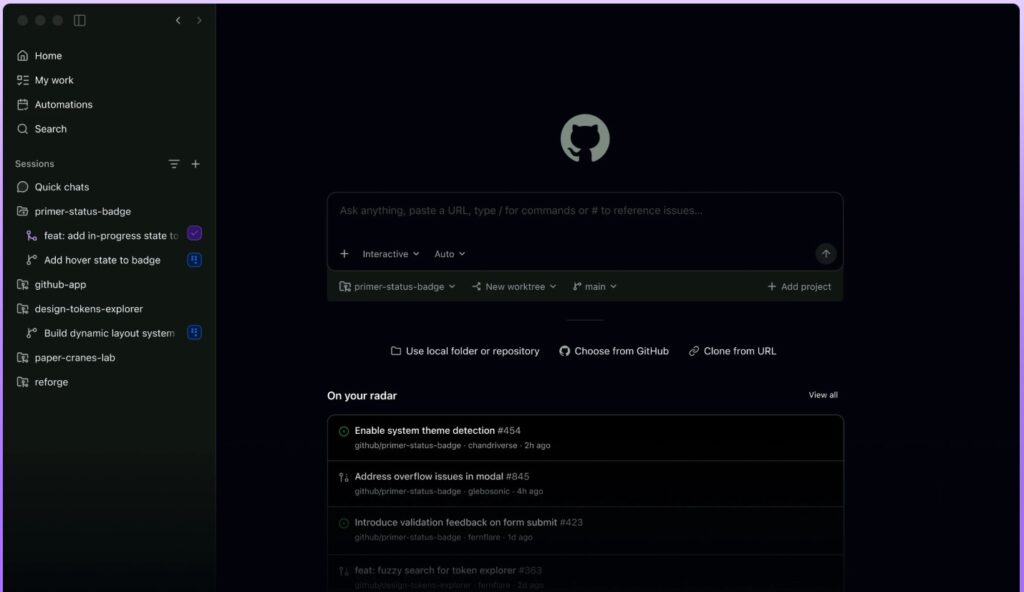
GitHub Copilot is the top recommendation for most VS Code users.
Its biggest advantage is its integration. Copilot is deeply integrated with GitHub and operates directly within VS Code, so you don’t need to completely overhaul your development workflow.
GitHub’s current Copilot offerings include inline code completion, chat, agent features, code reviews, cloud agents, model selection, and integration with various development environments.
What makes GitHub Copilot special?
Copilot can assist with:
- Code completion
- Code generation
- Debugging
- Code explanation
- Refactoring
- Test generation
- Documentation
- Agent-based development
- Code reviews
- GitHub workflow integration
Its VS Code agent mode can determine which files need changes, suggest terminal commands, and work through issues until the task is complete—all while the developer retains control over approvals.
Pricing
GitHub currently offers a free plan with limited usage and a Pro plan starting at $10 per user per month. The Pro plan includes unlimited code completion and additional agent and model capabilities. Higher tiers are also available for developers with heavier AI workloads.
Pros
- Excellent VS Code integration
- Powerful auto-complete
- GitHub integration
- Agent mode
- Wide selection of models
- Suitable for both beginners and professionals
- Easy to get started
Cons
- Advanced AI features count towards usage limits
- Large agent workflows can consume credits
- Paid plan required for some advanced features
Best for
Developers who want a reliable AI assistant without changing their VS Code workflow.
2. Cline — Best open-source AI agent for VS Code
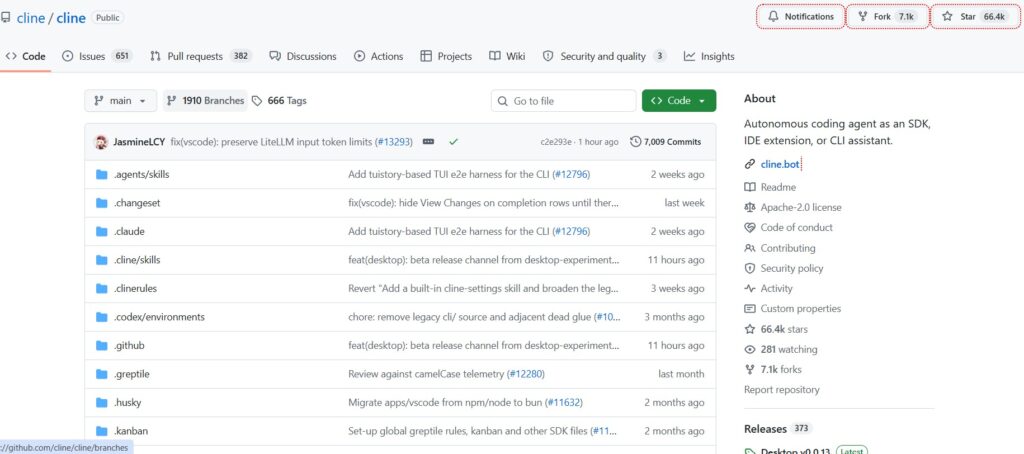
Cline takes a different approach. Instead of focusing solely on auto-complete, Cline is designed as an AI coding agent capable of interacting with your development environment.
Its VS Code extension can create files, modify code, execute commands, browse the web, and utilize tools—all while requiring human approval at each step.
What sets Cline apart?
Cline is particularly appealing when you want control over the models and API providers you use.
Depending on your configuration, you can work with various AI providers and even local models.
This offers advanced developers greater flexibility compared to closed, single-provider assistants.
Example Workflow
You can assign tasks like this to Cline:
“Review this React project, identify the authentication flow, add password-reset functionality, create the necessary API endpoints, and write tests.”
Instead of just generating a single code block, the agent can analyze the project and complete the task across multiple steps.
Pros
- Open source
- Powerful agent workflows
- Human approval controls
- File creation and editing
- Terminal access
- Freedom to choose models/providers
- Great for experimentation
Cons
- Requires more configuration
- API/model costs can vary
- Agent controls can be confusing for beginners
- Results depend heavily on the chosen model
Best for
Developers who want maximum freedom and control over their AI coding workflows.
3. Gemini Code Assist — Google's dedicated AI coding assistant for VS Code
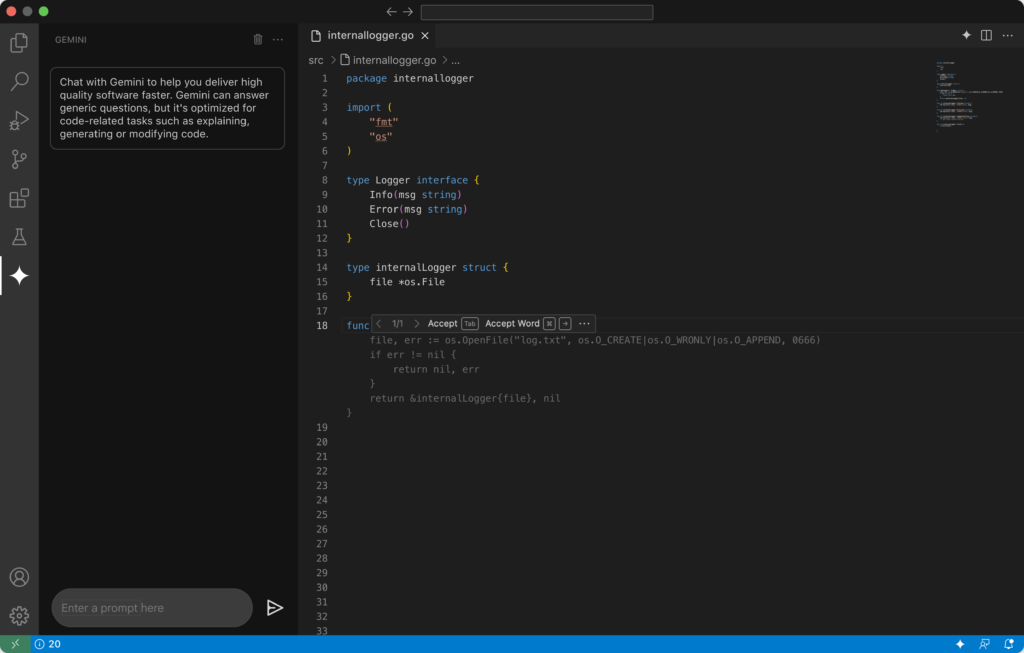
Gemini Code Assist brings Google’s Gemini models directly into supported IDE workflows. It provides AI assistance for coding, code explanation, code generation, and development tasks.
Google also offers an agent mode for VS Code. According to Google’s documentation, Gemini Code Assist’s agent mode can handle multi-step tasks, utilize context and tools, work from design documents or issue tickets, and allow developers to review and approve plans and tool usage.
What can Gemini Code Assist do?
You can use it for:
- Code generation
- Code explanation
- Debugging
- Refactoring
- Test creation
- Natural-language coding
- Multi-step tasks
- Agent workflows
The chat interface is designed to let you get assistance without leaving your IDE.
Best Use Cases
Gemini Code Assist is particularly useful when your development workflow already incorporates Google Cloud, Firebase, Android, or other Google technologies.
Pros
- Strong integration with the
- Google ecosystem
- VS Code support
- Natural-language coding
- Agent mode
- Useful for learning
- A good option for developers exploring Google’s AI ecosystem
Cons
- Model behavior may vary depending on the task
- Advanced users might desire more customization
- Ecosystem integration may be less relevant for developers outside that ecosystem
Best for
Students, beginner developers, web developers, and Google Cloud developers seeking AI assistance directly within VS Code.
4. Windsurf — Best for agent-focused development
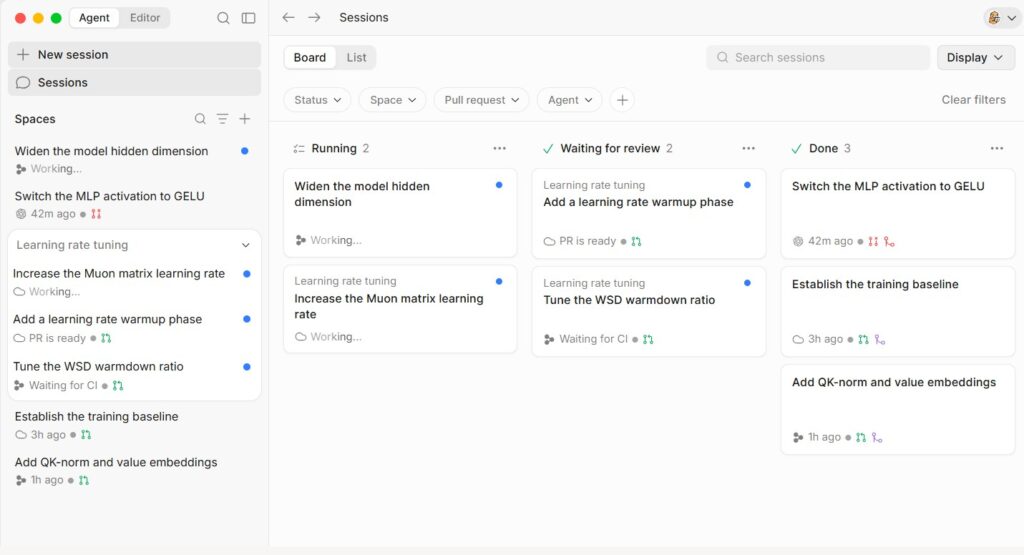
Windsurf has emerged as a key player in the field of AI-assisted development.
Although Windsurf is primarily an AI-focused editor, it also offers a VS Code plugin. While its documentation highlights the VS Code plugin as a popular integration, the company recommends using its native editor to fully leverage its advanced agentic capabilities.
A standout feature is Cascade, an AI coding agent designed to work directly with your project.
Cascade supports multiple modes for various workflows, including coding, planning, and querying.
Why developers use Windsurf
Windsurf places a strong emphasis on maintaining a continuous development flow for developers.
Its AI can assist with:
- Understanding project context
- Generating code
- Making changes across multiple files
- Running code
- Planning features
- Refactoring projects
- Completing complex tasks
A note on VS Code
Windsurf places a strong emphasis on maintaining a continuous development flow for developers.
Its AI can assist with:
- Understanding project context
- Generating code
- Making changes across multiple files
- Running code
- Planning features
- Refactoring projects
- Completing complex tasks
Pros
- Robust agentic workflows
- Cascade
- Deep understanding of project context
- Multi-file development
- Familiar VS Code-like environment
- Useful for large-scale tasks
Cons
- Native Windsurf is more capable than its VS Code plugin version
- Some VS Code extensions may not work with Windsurf
- Pricing and usage models are subject to change
Best for
Developers who want an AI-first coding environment and are comfortable moving beyond standard VS Code.
5. Continue — Best for custom AI coding workflows
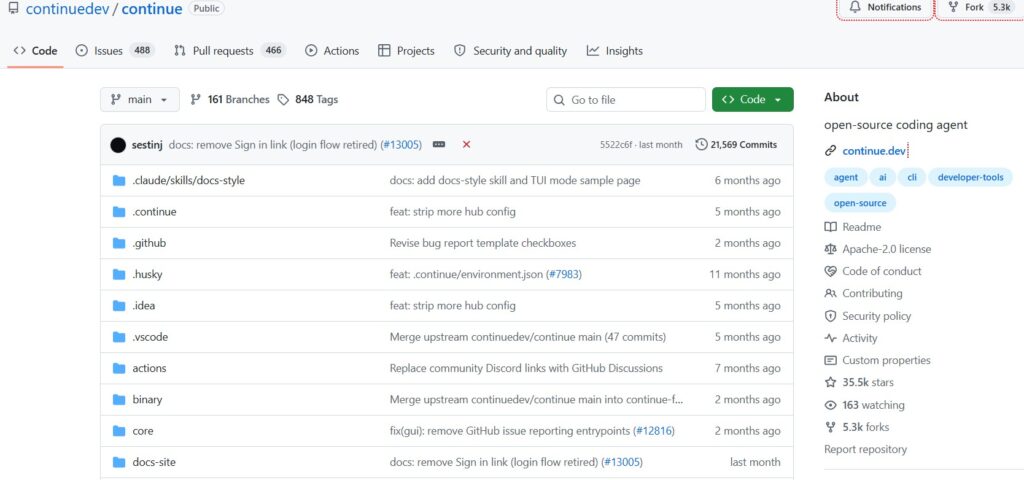
Continue is an open-source AI coding platform that includes a VS Code extension.
It offers the following features:
- Autocomplete
- Chat
- Edit
- Agent mode
- CLI support
Continue describes itself as an open-source AI code assistant for VS Code and JetBrains.
Why Continue is interesting
Continue gives developers significant control over their AI setup.
Instead of accepting a vendor-dictated experience, you can customize models, context, rules, and workflows.
Its agent mode can inspect files, create files, edit existing files, run terminal commands, and use other tools based on permissions.
Autocomplete
Continue also supports inline autocomplete. Its documentation states that it uses context retrieval and filtering to provide better suggestions.
Pros
- Open-source
- Easily customizable
- Multiple AI modes
- Agent capabilities
- Autocomplete
- Strong developer control
- CLI support
Cons
- Requires more setup compared to Copilot
- Model configuration can be confusing
- Performance depends on the chosen model/provider
Best for
Developers who prioritize customization, open-source tooling, and model flexibility.
6. Amazon Q Developer — Best for AWS development
Amazon Q Developer is particularly useful for developers working with Amazon Web Services.
It provides AI assistance during software development, including coding help and security-related workflows. AWS states that the Amazon Q Developer free tier offers code suggestions within the IDE and CLI, while the Pro tier provides higher limits and enterprise-grade capabilities.
Why AWS developers should consider it
If your application utilizes:
- Amazon EC2
- AWS Lambda
- Amazon S3
- DynamoDB
- Amazon RDS
- AWS CDK
- CloudFormation
- Other AWS services
…then an assistant with deep AWS expertise can be highly valuable.
Pros
- Strong AWS integration
- VS Code support
- Code suggestions
- CLI assistance
- Useful for cloud development
- Free tier available
Cons
- Less suitable for developers who do not use AWS
- Coding experience may vary depending on the language and task
- Offers the best value within the AWS ecosystem
Best for
AWS developers, cloud engineers, and teams building applications on Amazon’s cloud platform.
7. Tabnine — Best for enterprise-focused AI coding
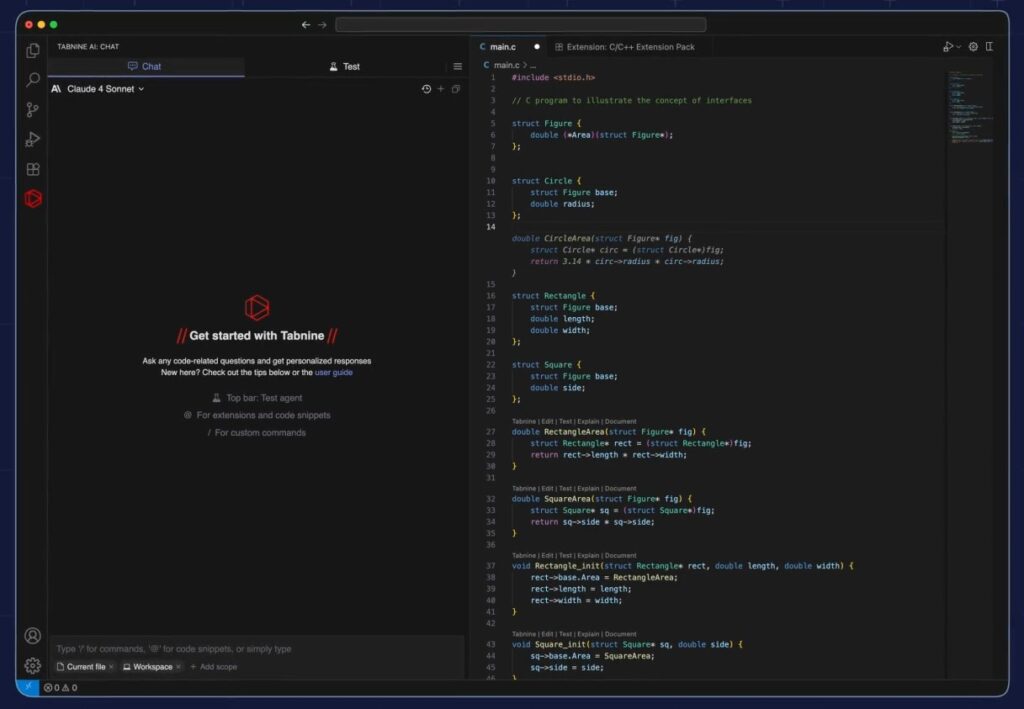
Tabnine places a special emphasis on controlled and enterprise-oriented AI development.
Its platform offers code completion and AI chat capabilities based on your codebase and supports major IDEs. Tabnine also prioritizes deployment options, governance, analytics, and organizational controls.
Why might businesses prefer Tabnine?
Enterprise teams often require much more than just code generation.
They may need:
- Governance
- Access control
- Auditability
- Deployment flexibility
- Privacy
- Code sourcing
- Team analytics
Tabnine provides these types of controls in its enterprise-oriented plans.
Pros
- Enterprise-focused
- Code completion
- AI chat
- Governance controls
- Multiple deployment options
- Support for major IDEs
Cons
- More expensive for individual developers
- Less appealing to general developers
- Complexity may increase due to enterprise features
Best for
Companies that prioritize security, governance, privacy, and centralized AI management.
AI Coding Assistants for VS Code: Quick Comparison
| Tool | Best For | Main Strength | Difficulty |
| GitHub Copilot | Most developers | VS Code + GitHub integration | Easy |
| Cline | Advanced developers | Open-source agent | Medium |
| Gemini Code Assist | Google ecosystem | Gemini + agent mode | Easy |
| Windsurf | AI-first development | Cascade | Medium |
| Continue | Custom workflows | Open-source flexibility | Medium |
| Amazon Q Developer | AWS developers | AWS knowledge | Easy |
| Tabnine | Businesses | Enterprise controls | Medium |
Which AI Coding Assistant Is Best for You?
There is no single tool that is best for everyone.
The best tool depends on your workflow.
Best for beginners: GitHub Copilot
If you are new to AI-assisted coding, start with Copilot.
It is easy to install and works seamlessly with VS Code.
You can start with simple tasks, such as:
- Explaining code
- Creating functions
- Writing comments
- Generating tests
- Fixing basic errors
Gradually, you can move towards an agent-based workflow.
Best for Advanced Developers: Cline
Cline is particularly attractive if you want to control:
- Which model you use
- How the agent behaves
- Which actions require approval
- How much autonomy the AI receives
That flexibility comes with a learning curve.
Best for AWS Developers: Amazon Q Developer
If AWS is a key part of your work, Amazon Q Developer is worth serious consideration.
The more AWS services your application uses, the more beneficial ecosystem-specific assistance can be.
Best for Custom AI Workflows: Continue
If you want to experiment with different models and create your own personalized development workflow, ‘Continue’ is an excellent choice.
It is particularly popular among technical users who enjoy working with configurations and open-source software.
Best for Enterprise Teams: Tabnine
For companies, the question is often not:
“Which AI writes the best code?”
Instead, it is:
“Which AI can our organization deploy, control, monitor, and govern safely?”
That makes enterprise-focused products such as Tabnine worth evaluating.
How to Choose the Best AI Coding Assistant
Before paying for an AI coding tool, evaluate these seven factors.
1. Code Quality
Ask:
- Does it generate working code?
- Does it follow existing patterns?
- Does it understand your framework?
- Does it avoid unnecessary changes?
Good autocomplete is not en
2. Codebase Context
A strong assistant should understand more than the current line.
For large applications, look for:
- Repository search
- File references
- Dependency awareness
- Project instructions
- Documentation context
- Multi-file reasoning
Context often matters more than raw model intelligence.
3. Agent Capabilities
Traditional autocomplete helps you write code.
An agent can potentially help you complete a task.
For example:
“Add dark mode to the application, update the settings page, create tests, and fix any resulting errors.”
That is fundamentally different from:
“Complete this function.”
4. Model Choice
Some tools allow you to choose between different models.
This can be useful because different models may perform better on different tasks.
For example:
- Fast model → autocomplete
- Reasoning model → architecture
- Coding model → implementation
- Smaller model → simple edits
GitHub Copilot currently offers a broad model catalog, including models from multiple AI providers.
5. Privacy
Never assume an AI coding tool handles your source code exactly like your local editor.
Before using an assistant on proprietary code, review:
- Data retention
- Training policies
- Enterprise controls
- Privacy mode
- Data processing
- Code storage
- Third-party model providers
This is especially important for companies.
6. Usage Limits
If heavy use of the agent depletes credits quickly, even a cheaper subscription could end up being costly.
For instance, GitHub Copilot now uses AI credits for many AI interactions, with the number of credits consumed depending on the model and token usage.
Always check the current pricing before making a purchase decision.
7. Your Existing Workflow
Don’t choose an AI assistant simply because it has the most features.
Select a tool that aligns with your workflow.
If you primarily work on GitHub, Copilot might be the best choice.
If you need flexibility regarding models, Cline or Continue could be better options.
If you work extensively on AWS, you should prioritize Amazon Q Developer.
How to Use AI Coding Assistants Effectively
AI assistants are most useful when you treat them as development partners, not replacement programmer
Step 1: Give the AI Context
Bad prompt:
“Fix this.”
Better prompt:
“This React component crashes when the API returns an empty array. Identify the cause, explain it, propose a minimal fix, and add a test for the empty-state scenario.”
The second prompt gives the AI a clear objective.
Step 2: Ask for a Plan First
For larger tasks, do not immediately tell the agent to change everything.
Ask:
“First inspect the project and create a plan. Do not modify any files yet.”
Review the plan.
Then allow implementation.
This reduces unnecessary changes.
Step 3: Make Small Changes
Instead of:
“Rewrite my entire application.”
Try:
- Analyze authentication.
- Fix the login bug.
- Run tests.
- Review the diff.
- Move to the next task.
Smaller tasks are easier to verify.
Step 4: Always Review AI-Generated Code
Never blindly accept generated code.
Check:
- Logic
- Security
- Dependencies
- Error handling
- Performance
- Edge cases
- Tests
- API usage
AI can produce code that looks professional while still being wrong.
Step 5: Run Tests
After an AI agent changes your project:
Run tests
→ Check errors
→ Review diff
→ Test manually
→ Commit changes
For production projects, this workflow is essential.
Real-World Example: Building a Login Feature
Suppose you are building a React application.
Instead of saying “Create a login”:
Give the assistant a structured request:
“Add email/password authentication to this React application. First, examine the existing project structure. Reuse the existing API client and styling system. Implement login validation, loading and error states, and unit tests. Do not add new dependencies unless necessary. Outline your implementation plan before making changes.”
This prompt specifies:
- Goal
- Technology
- Constraints
- Existing architecture
- Testing requirements
- Dependency requirements
- Approval step
Reviewing the result is usually much easier.
Common Mistakes to Avoid
Mistake 1: Blindly accepting AI-generated output
Human review of AI-generated code is essential.
Mistake 2: Providing overly large and vague prompts
Large, vague prompts often lead to unpredictable changes.
Break complex tasks down into smaller parts.
Mistake 3: Ignoring security
Never assume that generated authentication, payment, database, or API code is secure.
Security-sensitive code requires extra scrutiny.
Mistake 4: Letting agents run without controls
Agentic tools can modify files or execute commands.
Implement approval controls where necessary.
Mistake 5: Installing too many AI extensions
Running multiple auto-complete assistants simultaneously can lead to:
- Conflicting suggestions
- Redundant suggestions (duplicate recommendations)
- High resource usage
- Confusing workflows
Start with a single primary assistant.
Are AI coding assistants secure?
AI coding assistants can be useful, but their “security” depends on how you configure and use them.
There are three key points to consider.
Source code confidentiality
Your prompts and code context may be processed by remote AI services.
Always review the provider’s privacy and data-handling policies before using sensitive code.
Security of generated code
AI can introduce vulnerabilities such as:
- Weak authentication
- Insecure input handling
- Improper authorization
- Insecure dependencies
- Poor cryptographic practices
- Injection vulnerabilities
Always test code that is sensitive from a security perspective.
Developer oversight
The most secure workflow is:
AI suggestion → Developer review → Running tests → Developer approval
Do not treat an AI agent like an unsupervised senior engineer.
Pros and Cons of AI Coding Assistants
Pros
- Faster code creation
- Better developer productivity
- Easier debugging
- Faster prototyping
- Automated test generation
- Easier documentation
- Helpful for learning
- Useful for repetitive development work
- Can handle multi-file tasks
Cons
- AI can make incorrect assumptions
- Generated code can contain bugs
- Privacy concerns
- Subscription or API costs
- Usage limits
- Over-reliance can weaken coding skills
- Complex agent workflows require supervision
Best AI Coding Assistants for Different Users
| User Type | Recommended Tool |
| Beginner | GitHub Copilot |
| Student | GitHub Copilot or Gemini Code Assist |
| Freelance developer | GitHub Copilot |
| React developer | Copilot, Cline, or Continue |
| Python developer | Copilot, Cline, or Gemini |
| AWS developer | Amazon Q Developer |
| Advanced AI user | Cline |
| Open-source enthusiast | Cline or Continue |
| Enterprise team | Tabnine or GitHub Copilot |
| Google Cloud developer | Gemini Code Assist |
| Agent-focused developer | Cline or Windsurf |
What Is the Best AI Coding Assistant for VS Code in 2026?
For most developers, GitHub Copilot for VS Code is the best AI coding assistant.
A combination of features—such as code completion, chat, agentic capabilities, model selection, VS Code integration, and support for GitHub workflows—makes it a robust and go-to choice.
However, it isn’t necessarily the best option for everyone.
If you want an open-source, agent-first workflow with greater control, choose Cline.
If you prefer Google’s AI ecosystem, choose Gemini Code Assist.
If customization and open-source tooling are priorities, choose Continue.
If you work primarily on AWS, choose Amazon Q Developer.
If your company requires robust enterprise governance and deployment options, choose Tabnine.
And if you want an AI-first editor rather than standard VS Code, be sure to include Windsurf on your shortlist.
The bottom line is this: don’t choose an AI coding assistant based solely on benchmarks or marketing claims. Choose one based on the work you actually do every day.
Conclusion
AI coding assistants have evolved far beyond simple “auto-complete” functions.
Modern tools can explain code, generate tests, debug issues, make changes across multiple files, search through projects, and even complete complex development tasks using agent-based workflows.
However, the best AI coding assistant for VS Code isn’t necessarily the one with the most features.
For most users, GitHub Copilot is the easiest to use. Advanced developers might prefer the flexibility of Cline or Continue; those working with Google might choose Gemini Code Assist; AWS developers can leverage Amazon Q Developer; and large enterprises might prioritize Tabnine.
Whichever tool you choose, keep one thing in mind:
Use AI to boost your engineering speed—do not use it as a substitute for your own understanding or judgment when making engineering decisions.
Before deploying to production, review the code, run tests, secure sensitive data, and fully understand the changes made.
Frequently Asked Questions
1. What is the best AI coding assistant for VS Code?
For most developers, GitHub Copilot is the best choice because it offers robust code completion, chat, agent capabilities, model selection options, and deep integration with GitHub.
2. Is there a free AI coding assistant for VS Code?
Yes. Several tools offer free options or extensions—such as GitHub Copilot Free, Gemini Code Assist, the Cline extension, and open-source tools like Continue. However, limitations regarding model usage and features may vary.
3. Is GitHub Copilot better than Cline?
Neither is strictly better than the other in every situation. Copilot is easier to use and more integrated, whereas Cline offers greater flexibility and open-source agent workflows. Choose Copilot for ease of use and Cline for customization.
4. Can AI coding assistants write entire applications?
Some agentic coding tools can generate significant portions of an application, including multiple files and supporting code. However, developers should still review the architecture, security, dependencies, testing, and the generated code itself.
5. Is Cline free?
The Cline VS Code extension is open-source, but using AI models may incur API or provider costs, depending on how you configure it.
6. Can I use Gemini Code Assist in VS Code?
Yes. Google supports Gemini Code Assist for VS Code, offering features like chat and agent functionality.
7. Is Amazon Q Developer good for VS Code?
Yes, especially for developers working with AWS. Amazon Q Developer assists with coding in IDEs and the CLI, offering both a free tier and a Pro tier with additional capabilities.
8. Is Continue good for coding?
Continue is a great option for developers seeking an open-source AI coding assistant that features customizable models, auto-complete, chat, editing capabilities, and agent workflows.
9. Can AI coding assistants replace programmers?
No. Although they can automate many coding tasks, developers are still needed for architecture, requirements, security, testing, debugging, code reviews, and business decisions.
10. Should beginners use AI coding assistants?
Yes, but they should use them as learning tools rather than simply copying every answer. Ask the AI to explain the code, compare different solutions, and explain why a particular approach works.
Also Read: Techlymate