
Best Lightweight WordPress Themes in 2026: Fast, SEO-Friendly Picks for Every Website
Introduction
As more businesses move online, the demand for website developers is rising. Today, many developers create premium websites without writing code. However, building a site without coding requires not only WordPress knowledge but also an understanding of the best lightweight WordPress themes.
A high-quality theme can boost your website’s performance, whereas a poor one can degrade performance and harm the user experience. The good news is that you don’t have to compromise on speed, design, SEO, or flexibility. Many modern WordPress themes are built on lightweight foundations yet offer extensive control for creating professional websites.
In this guide, we compare the best lightweight WordPress themes for 2026, including GeneratePress, Astra, Kadence, Neve, Blocksy, Hello Elementor, and Twenty Twenty-Five. You will discover which themes are best suited for blogs, business websites, WooCommerce stores, Elementor users, beginners, and performance-focused sites.
Quick Answer: For most users, GeneratePress, Astra, and Kadence stand out as the most robust and well-rounded lightweight WordPress themes. GeneratePress leads in simplicity and performance; Astra is particularly useful for Elementor and business sites; and Kadence offers an excellent balance of design control and performance.
What Is a Lightweight WordPress Theme?
Lightweight themes are those that enhance a website’s performance, user experience, and responsive design. Using a lightweight theme not only gives your website a premium look but also ensures it loads quickly on any device. These themes are designed to provide the essential structure and styling for a website without loading unnecessary code, scripts, design elements, or features that you do not actually need.
In simple terms:
A lightweight WordPress theme provides a fast foundation for your website, ensuring that your content, plugins, images, and other features are not slowed down by the theme’s excessive bulk.
However, “lightweight” does not simply mean that the theme’s ZIP file is small.
A theme might have a small download size, but its front-end page can still become heavy once you enable features, install plugins, use page builders, load web fonts, add animations, or import large starter templates.
That is why you should evaluate the entire website, not just the theme itself.
What makes a WordPress theme lightweight?
Consider the following factors:
- Minimal use of CSS and
- JavaScript
- Efficient asset loading
- Best practices for WordPress coding
- Responsive design
- Avoiding excessive animations
- Modular features
- Compatibility with the Block
- Editor
- Enhanced typography control
- Good accessibility practices
- Regular updates
- Compatibility with essential plugins
- WooCommerce support (where needed)
WordPress itself provides modern tools that help theme developers build better sites. For instance, WordPress developer documentation explains that using `theme.json` and block-specific styling ensures styles are loaded only for the specific blocks that require them.
Why Theme Performance Matters for SEO
Simply having a fast theme won’t automatically propel your website to the top of Google search results.
This is a crucial distinction.
Google’s own guidelines state that the primary goal of search is to display the most relevant and useful content. Page experience can contribute to search success, especially when competing pages offer similar, useful information.
Therefore, view performance as just one component of a broader SEO system.
The following elements are essential for your website:
- Relevant content
- Alignment with search intent
- Effective internal linking
- Crawlable pages
- Clean information architecture
- Mobile usability
- Strong technical SEO
- Secure HTTPS
- Excellent user experience
- Competitive Core Web Vitals (where possible)
Core Web Vitals matter, but the theme is only one part of the equation
Your theme can influence:
- Largest Contentful Paint (LCP)
- Interaction to Next Paint (INP)
- Cumulative Layout Shift (CLS)
However, other factors can have an even greater impact.
For instance, a site using a lightweight theme can still be slow if it includes:
- Oversized images
- Excessive plugins
- Heavy page-builder widgets
- Multiple font types
- Unoptimized videos
- Numerous third-party scripts
- Poor hosting
- Lack of caching
- Excessive advertisements
The WordPress Theme Handbook recommends testing themes for performance and avoiding unnecessary resources. It also advises optimizing images and minimizing CSS and JavaScript assets.
Best Lightweight WordPress Themes in 2026
The seven themes included in this guide are:
GeneratePress — Best for performance-focused websites
Astra — Best for flexibility and page builder compatibility
Kadence — Excellent balance of performance and design control
Neve — Best for beginners and small businesses
Blocksy — Best for modern websites and WooCommerce
Hello Elementor — Best for websites built with Elementor
Twenty Twenty-Five — Best minimalist block-theme option
These themes have not been ranked solely based on artificial “fastest theme” metrics, as actual performance depends heavily on hosting, plugins, content, images, fonts, caching, and page structure.
1. GeneratePress
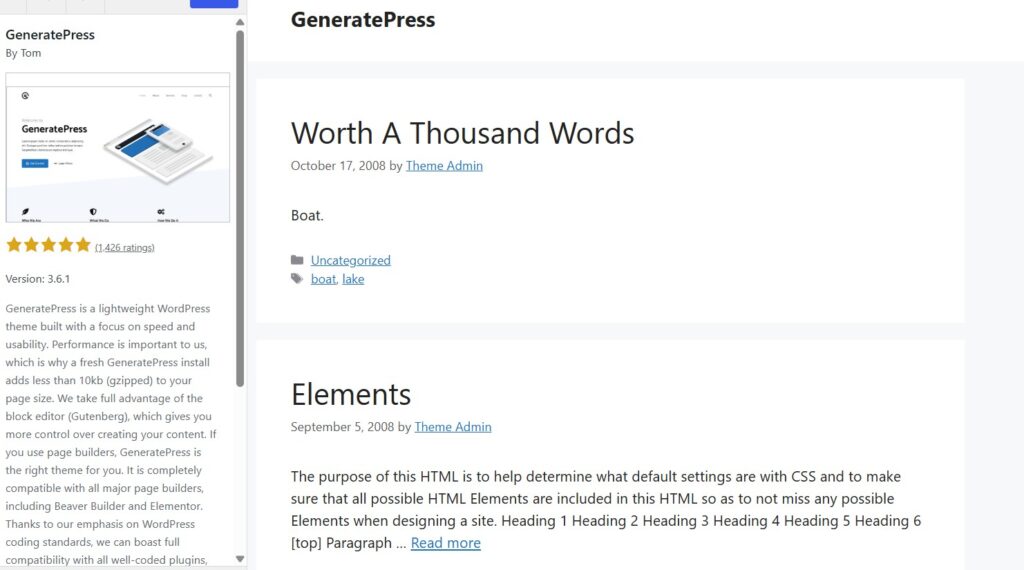
The GeneratePress theme is ideal for those who prioritize high website performance. It is a lightweight theme that offers a premium look and feel. If a clean, effective foundation is your priority, GeneratePress is one of the best choices available.
According to its official WordPress.org listing, a fresh installation adds less than 10 KB (gzipped) to the page size. It also emphasizes compatibility with the Block Editor, Elementor, Beaver Builder, WooCommerce, and other well-coded plugins.
Why choose GeneratePress?
GeneratePress places a strong emphasis on simplicity, which is why it is so popular. Instead of imposing a heavy collection of design elements on every page, it provides a solid foundation. GeneratePress is particularly well-suited for:
- Bloggers
- Affiliate websites
- News websites
- Content publishers
- SEO-focused websites
- Developers
- Businesses seeking a clean design
Key Benefits
- Very lightweight foundation
- Excellent
- Block Editor support
- Elementor compatibility
- WooCommerce compatibility
- Responsive design
- Robust customization controls
- Developer-friendly architecture
- Large WordPress community
Best Use Case
If your mindset is:
“Give me the fastest and most practical foundation, and I’ll add only what I actually need”… then GeneratePress should be at the top of your list.
Potential Drawback
Compared to themes that offer extensive design libraries, GeneratePress might initially appear less “visually complete.”
You may need additional tools—such as GenerateBlocks or another page-building solution—to achieve more complex layouts.
2. Astra
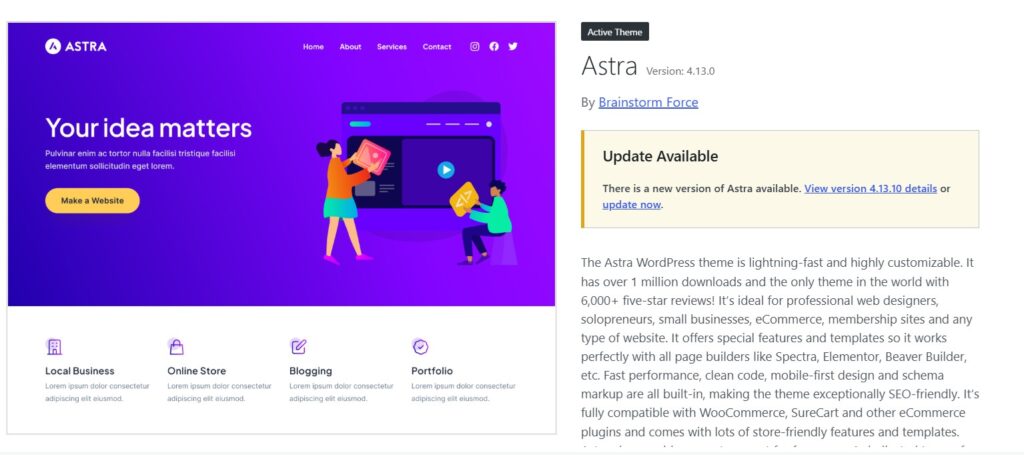
Astra is currently one of the most popular themes available. I personally use the Astra theme for my own website. It is not only lightweight but also offers a premium look. It is easy to use and comes in both free and paid versions. This theme is ideal for those who want high speed without compromising on flexibility.
It currently has over 1 million active installations on the official WordPress.org repository and is known for being fast, customizable, responsive, and compatible with major page builders, including Elementor. Astra also boasts a vast ecosystem of starter templates and integrations.
Why Astra is popular
Astra is incredibly useful when you want to create various types of websites using a single theme.
You can use it for:
- Technology blogs
- Travel websites
- Business websites
- Portfolio websites
- Affiliate websites
- WooCommerce stores
- Agency websites
- Personal websites
- Landing pages
Astra’s documentation emphasizes its performance-oriented architecture and compatibility with page builders.
Astra's biggest advantage
Its greatest advantage is flexibility.
You can start with a simple foundation and build a highly customized site around it.
This makes Astra particularly useful for users who do not wish to learn advanced coding.
Best for Elementor users
If you use Elementor, Astra is especially appealing because the theme and the builder work together to create custom layouts.
However, keep in mind that Elementor itself can add significant markup and assets, depending on how you build your pages. A lightweight theme cannot fully offset the weight of highly complex pages.
Pros
- Excellent page-builder compatibility
- Large user base
- Robust starter-template ecosystem
- Good WooCommerce support
- Flexible customization
- Suitable for beginners
- Strong business-site capabilities
Cons
- Can have a slight learning curve due to the vast number of options
- Paid upgrades required for some advanced features
- Heavily customized Astra sites can be significantly heavier than the basic installation
3. Kadence
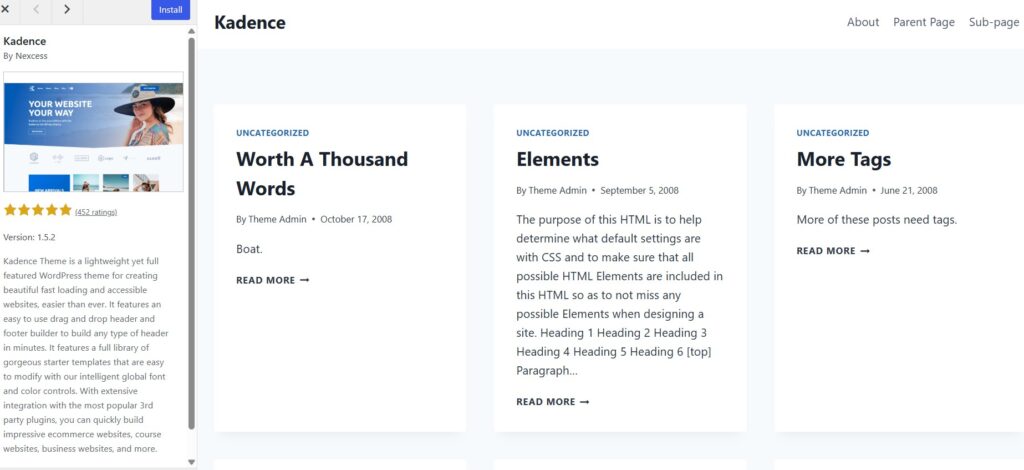
The Kadence theme enhances your website’s speed and offers easy customization for anything, at any time. If you want a lightweight foundation without compromising on visual customization, Kadence is an excellent choice. It is a lightweight, fast-loading, and accessibility-ready theme. Key features include header and footer builders, starter templates, global typography and color controls, and integration with major plugins.
What makes Kadence special?
Kadence gives you robust control over:
- Header design
- Footer design
- Typography
- Colors
- Layout
- Blog presentation
- WooCommerce layout
- Responsive settings
It is particularly useful for those who want to build a stunning website without relying entirely on Elementor.
Performance Control
Kadence also includes performance settings. Its documentation provides options for managing performance-related features and warns about duplicate schema output—especially when another SEO or schema tool is already handling structured data.
This last point is important.
Best Use Cases
Kadence is a strong choice for:
- Professional blogs
- Online magazines
- Business websites
- Course websites
- WooCommerce stores
- Personal brands
- Content-heavy websites
4. Neve
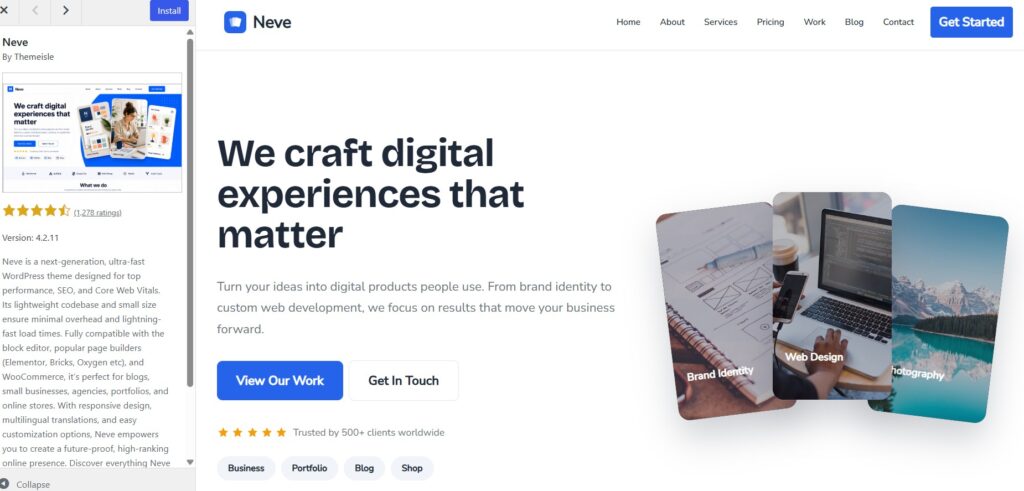
You can use Neve for small businesses, agencies, portfolios, and online stores. Designed with performance as a priority, it is also easy to use.
A look at WordPress.org clearly reveals what Neve is designed for; it is described as a fast, performance-oriented theme that prioritizes SEO and Core Web Vitals. It also supports the Block Editor, Elementor, Bricks, Oxygen, WooCommerce, and other tools.
Why choose Neve?
Neve is an excellent, well-balanced choice.
You get the following features:
- Lightweight architecture
- Responsive design
- Starter layouts
- Header/footer control
- Compatibility with page builders
- WooCommerce support
- Compatibility with the Block Editor
Its performance documentation also covers features like local font hosting and optional performance optimizations.
Who should use Neve?
Choose Neve if you are:
- Starting your first
- WordPress site
- Building a small business website
- Creating a portfolio
- Starting a blog
- Building an agency website
- Looking for starter designs
5. Blocksy
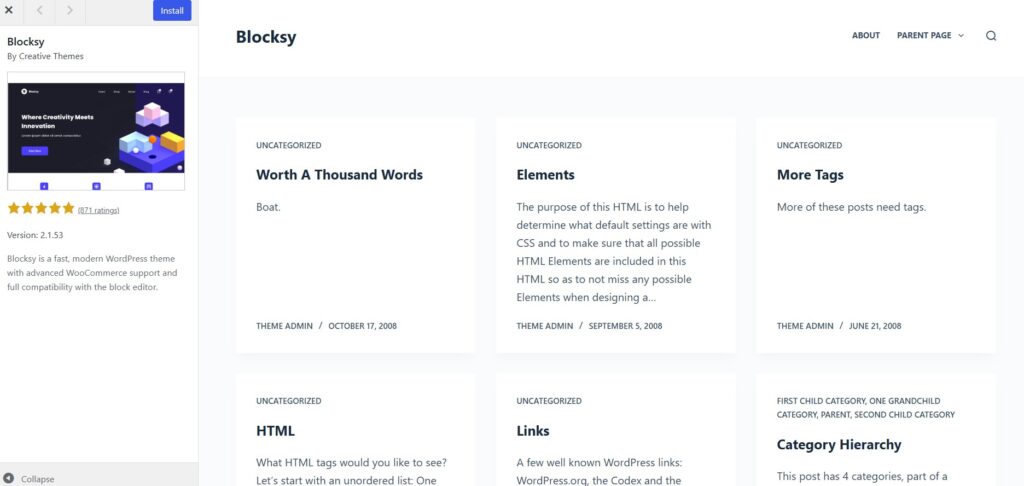
Blocksy is a modern, lightweight WordPress theme that serves as an excellent choice for WooCommerce. It is a great option for users who want a modern interface without relying on heavy, multipurpose themes.
According to WordPress.org, Blocksy is a fast, modern theme that offers advanced WooCommerce support and is fully compatible with the block editor. If you have an e-commerce website and want to improve its speed, Blocksy could be an excellent choice for you.
What makes Blocksy special?
Blocksy offers superb design and customization controls.
It is particularly well-suited for:
- WooCommerce stores
- Modern blogs
- Technology websites
- Magazine sites
- Business websites
- Content publishers
Its performance features include dynamic CSS, emoji handling, local Gravatars, and controls for image lazy loading.
Key Benefit
If you want your site to look modern without having to install dozens of extra plugins right away, Blocksy is an excellent choice.
6. Hello Elementor
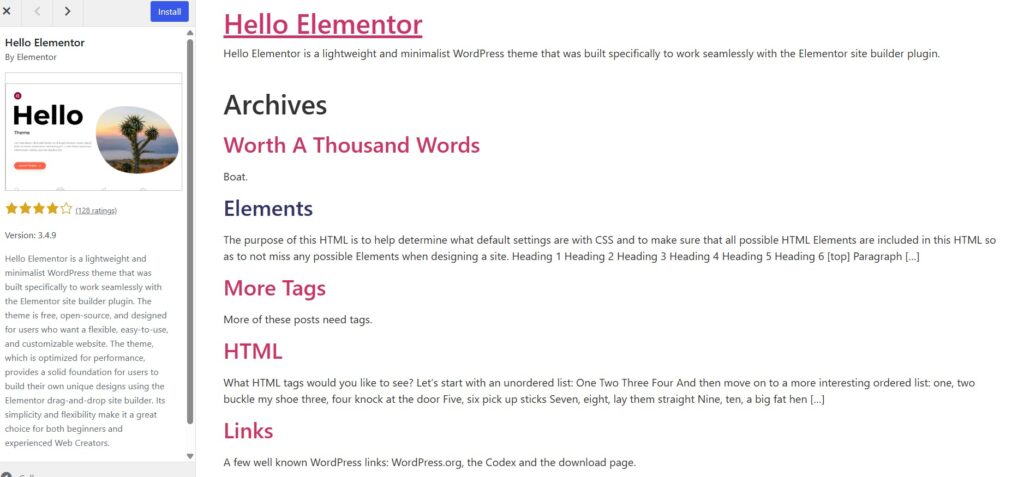
It is an excellent choice for users who rely on Elementor. Instead of offering a full suite of theme-level design features, it provides a minimal foundation built specifically to work with Elementor. It differs from the other themes discussed in this guide; it is a lightweight WordPress theme designed to be easily customized using Elementor.
Who should use Hello Elementor?
Use it if:
- Elementor is a core part of your workflow
- You want to design headers and footers using
- Elementor
You want a minimal theme foundation - You are comfortable building layouts yourself
- Who should not use it?
If you want a theme that offers numerous ready-made blog layouts and customization controls without relying heavily on Elementor, then Astra, Kadence, or GeneratePress might be better options.
An important note on performance
A minimal theme does not necessarily mean your website will be minimal (lightweight).
If you build pages using:
- Many Elementor widgets
- Large sliders
- Multiple animations
- Complex nested sections
- Large background videos
- Numerous third-party add-ons
…your website could still end up being slow.
7. Twenty Twenty-Five
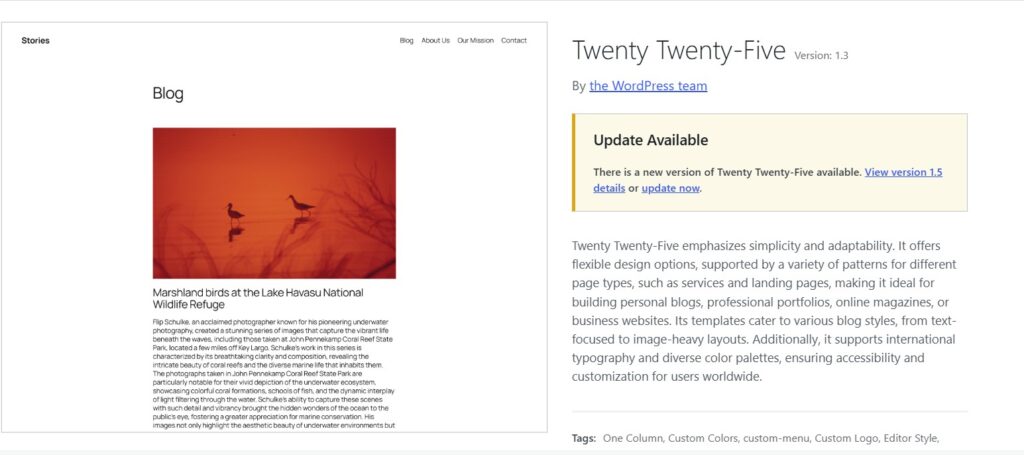
It is an excellent minimalist, native WordPress theme. If you enjoy the WordPress block editor or wish to avoid relying on third-party page builders, this theme could be a great option for you. Created by the WordPress community, it emphasizes simplicity and flexibility. Key features include block-editor patterns, style variations, accessibility readiness, wide-width blocks, and other modern WordPress features.
Why choose it?
Twenty Twenty-Five is particularly well-suited for:
- Personal blogs
- Writers
- Simple business sites
- Online magazines
- Portfolio websites
- Text-focused websites
WordPress describes it as a theme featuring flexible templates and patterns that can be adapted to suit various blog and website styles.
Key Benefit
You can build a modern site using WordPress’s native editing system instead of adding a heavy page-builder layer.
WordPress block themes allow users to edit elements like headers, footers, templates, and navigation directly through the Site Editor.
Best Lightweight WordPress Themes in 2026: Quick Comparison
Theme
Best For
Lightweight
Page Builder Support
WooCommerce
Block Editor
GeneratePress
Speed-focused sites
Excellent
Yes
Yes
Excellent
Astra
Blogs, business, Elementor
Excellent
Excellent
Yes
Excellent
Kadence
Design + performance
Excellent
Yes
Yes
Excellent
Neve
Beginners, businesses
Excellent
Yes
Yes
Excellent
Blocksy
Modern sites, stores
Excellent
Yes
Excellent
Excellent
Hello Elementor
Elementor websites
Excellent
Elementor-focused
Yes with Elementor/WooCommerce setup
Good
Twenty Twenty-Five
Block-based websites
Excellent
Not its main focus
Possible
Excellent
Which Lightweight WordPress Theme Is Best for You?
There is no single theme that suits everyone perfectly, as individual preferences vary; therefore, one should choose a theme based on personal taste. Before determining the best theme for you, you need to understand your preferences and the topic of your website. The ideal theme depends on the specific nature of your website. Below, I have outlined some points to help you decide which theme is right for you:
Choose GeneratePress if:
- Performance is your top priority
- You run a content-heavy blog
- You want a clean, simple foundation
- You understand basic customization
- You want to minimize theme bloat
Choose Astra if:
- You want maximum flexibility
- You use Elementor
- You need starter templates
- You are building a business website
- You want WooCommerce compatibility
Choose Kadence if:
- You want design flexibility
- You prefer the Block Editor
- You want strong control over the header/footer
- You want a high-quality blog or business site
Choose Neve if:
- You are a beginner
- You want easy customization
- You need starter layouts
- You run a small business site
Choose Blocksy if:
- You use WooCommerce
- You want a modern design
- You want advanced customization
- You want robust Block Editor support
Choose Hello Elementor if:
- Elementor is your primary page builder
- You want a minimal theme base
- You want to design most elements yourself
Choose Twenty Twenty-Five if:
- You like Gutenberg
- You want native
- WordPress tools
- You want a simple blog or portfolio
- You want to reduce reliance on third-party tools
How to Choose a Fast WordPress Theme
Before installing a theme, you should consider the following points:
1. Decide which features you actually need
Don’t choose a theme just because it has 300 features.
Ask yourself:
“How many of these features will I actually use?”
More features can mean more code, settings, assets, and potential issues.
2. Check page-builder compatibility
If you already use Elementor, don’t choose a theme that disrupts your workflow.
Astra, GeneratePress, Neve, Kadence, and Hello Elementor are excellent choices for Elementor users.
3. Check update frequency
The theme should undergo regular maintenance.
Check these things:
- Last update
- WordPress compatibility
- PHP compatibility
- Support activity
- Changelog
- Active installation base
The official WordPress theme directory provides information about the current versions and updates of themes hosted in its repository.
4. Check accessibility
Speed isn’t the only metric for performance.
Your theme should also support:
- Keyboard navigation
- Good color contrast
- Proper headings
- User-friendly navigation
- Screen-reader compatibility
- Responsive layout
WordPress states that ‘accessibility-ready’ status is a minimum standard for theme review and does not guarantee that the website meets every WCAG AA requirement.
5. Test the actual website
Never assume that:
“This theme is lightweight, so my website will be fast.”
Instead:
- Install the theme. Add your actual plugins.
- Upload realistic-looking images.
- Create a sample page.
- Test it on mobile.
- Test it on desktop.
- Check Core Web Vitals.
- Remove unnecessary features.
- Test again.
This is a far better and more practical approach than comparing marketing claims.
How to Make a Lightweight Theme Even Faster
Even the best lightweight themes require optimization.
1. Optimize Images
Use appropriately sized images; instead of uploading a 4000px photo, use an image that fits the 800px display area on the page.
Use modern formats, such as:
- WebP
- AVIF
Additionally, implement responsive image sizing and lazy loading where necessary.
2. Minimize Plugins
Not every plugin is inherently bad.
The real issue lies in unnecessary functionality.
Ask yourself before installing a plugin:
Does my website really need this?
If a single robust solution can do the job, avoid installing five separate plugins for five minor tasks.
3. Limit Web Fonts
For most websites, using six font families and twelve font weights is unnecessary.
A better approach is:
- 1 primary font
- 1 optional secondary font
- Use only the weights you actually need
In some setups, hosting fonts locally can reduce external requests. For example, Neve offers local font hosting as a performance option.
4. Use Caching
A good caching setup can significantly improve page delivery speed.
Depending on your hosting environment, this may include:
- Page caching
- Browser caching
- Object caching
- CDN caching
- Compression
- CSS/JS optimization
5. Keep Your Homepage Simple
Your homepage often contains the highest number of assets. Avoid cluttering it with:
- Multiple sliders
- Autoplay videos
- Large animations
- Dozens of post widgets
- Oversized background images
- Social media feeds
- Excessive pop-ups
A simple design often works better.
Common Mistakes That Make WordPress Slow
Mistake 1: Choosing a theme solely because it looks beautiful
A demo website might look stunning because it has been highly optimized.
The version you import may include:
- Too many plugins
- Too many images
- Too many widgets
- Too many fonts
- Too many scripts
Always optimize the final site.
Mistake 2: Installing every starter template plugin
Starter templates can save time, but importing an entire design system can introduce unnecessary functionality.
Import only what you need.
Mistake 3: Using too many Elementor widgets
You can build excellent websites with Elementor, but complex page structures can increase the complexity of HTML, CSS, JavaScript, and the DOM.
If performance is a priority, keep the page structure simple.
Mistake 4: Uploading excessively large images
A 5 MB hero image can cause more performance issues than the difference between two lightweight themes.
Prioritize optimizing your largest images.
Mistake 5: Adding too many animations
Animations can look impressive, but for content-focused websites, they often offer little real benefit.
Use them judiciously.
Mistake 6: Testing only on desktop
Your website might run fast on a powerful laptop but slow on a mobile device.
Always test on mobile as well.
Pros and Cons of Lightweight WordPress Themes
Pros
- Faster foundation
- Better user experience
- Less unnecessary code
- Easier maintenance
- Better compatibility with caching
- More control over performance
- Good foundation for SEO
- Often better mobile performance
Cons
- Some may require additional plugins for advanced functionality
- Minimal themes can require more design work
- Page builders can reduce the benefits of a lightweight theme
- Performance still depends on hosting and optimization
- Theme marketing claims do not guarantee real-world results
The Best Lightweight WordPress Theme for Bloggers
For a typical content website, here is my shortlist:
1. GeneratePress
If you want a clean, performance-focused foundation, this is the best choice.
2. Astra
If you need flexibility and page-builder support, this is the best choice.
3. Kadence
If you want greater visual control without compromising on a lightweight foundation, this is the best choice.
For technology blogs, affiliate websites, SEO blogs, or news-style publications, GeneratePress, Astra, and Kadence are the options I would consider first.
The Best Lightweight WordPress Theme for Elementor
If Elementor is an essential part of your workflow, consider:
- Astra
- Hello Elementor
- GeneratePress
- Kadence
- Neve
Hello Elementor is the most minimal Elementor-specific option, while Astra offers a broader theme ecosystem.
The right choice depends on whether you want Elementor to control almost everything or whether you want the theme itself to provide more functionality.
The Best Lightweight WordPress Theme for WooCommerce
For online stores, consider:
- Blocksy
- Astra
- Kadence
- Neve
- GeneratePress
For WooCommerce, do not judge a theme only by its homepage speed.
Test:
- Product pages
- Category pages
- Cart
- Checkout
- Search
- Mobile navigation
- Filters
- Product images
A store has a very different performance profile from a simple blog.
Final Verdict
Determining the best lightweight WordPress theme for 2026 depends on your goals, but a few themes stand out.
When performance and simplicity are paramount, GeneratePress is my top choice. Its official WordPress listing specifically highlights its lightweight nature; a fresh installation has a gzipped size of less than 10 KB.
For users seeking a combination of performance, design flexibility, starter templates, WooCommerce support, and page-builder compatibility, Astra is arguably the best all-round option.
Kadence offers an excellent middle ground for users who want robust, performance-oriented control alongside a superb visual design system.
Neve is particularly appealing to beginners, small businesses, and users looking for a simple yet flexible setup.
Blocksy is a strong contender for modern websites and WooCommerce stores, while Hello Elementor is the best choice if Elementor is central to your design workflow.
And if you prefer the native WordPress block-based approach, Twenty Twenty-Five is a great minimalist option.
My overall ranking
FAQs
1. What is the best lightweight WordPress theme in 2026?
GeneratePress, Astra, and Kadence are the best all-rounder options. GeneratePress is particularly good for performance-first websites, while Astra and Kadence offer greater design flexibility.
2. Is Astra a lightweight WordPress theme?
Yes. Astra is designed as a lightweight and performance-focused theme, and it works with all major page builders, including Elementor. Its official WordPress.org listing currently shows over 1 million active installations.
3. Is GeneratePress faster than Astra?
There is no single answer to this. Performance depends on website configuration, hosting, plugins, content, caching, fonts, and other factors. GeneratePress has a very small initial installation size, but the final website should be tested based on its actual configuration.
4. Which lightweight WordPress theme is best for SEO?
GeneratePress, Astra, Kadence, Neve, and Blocksy can all provide a solid, SEO-friendly foundation. However, the theme alone does not determine rankings; content quality, technical SEO, internal links, search intent, authority, and user experience are also crucial.
5. Which lightweight WordPress theme is best for Elementor?
Astra and Hello Elementor are the cleanest options. GeneratePress, Kadence, and Neve also work well with Elementor. Hello Elementor is particularly minimalist, as it was designed specifically to serve as a base for Elementor.
6. Which lightweight WordPress theme is best for blogging?
GeneratePress, Astra, and Kadence are excellent options for blogs. GeneratePress is particularly good if you want a simple, content-first website with minimal theme overhead.
7. Which lightweight WordPress theme is best for WooCommerce?
Blocksy, Astra, Kadence, Neve, and GeneratePress are worth considering. Blocksy is particularly interesting for stores because its official WordPress listing highlights advanced WooCommerce support.
8. Do lightweight themes improve Google rankings?
A lightweight theme can contribute to a better page experience, but it does not guarantee better rankings. Google states that relevance and utility are paramount in search, while page experience can help achieve success when competing results are equally useful.
9. Are free WordPress themes fast?
Some free themes are excellent, while others are not. Do not judge performance solely based on price; consider the theme’s code, features, update history, compatibility, and the actual performance of your final website.
10. Can Elementor slow down a lightweight WordPress theme?
Yes. Elementor itself isn’t “bad” for speed, but complex layouts, excessive widgets, animations, add-ons, fonts, and third-party scripts can increase page size and rendering demands. A lightweight theme cannot fully compensate for the downsides of an unnecessarily complex page.
Also Read: Techlymate