
Best AI Laptops in India (2026): Top Picks, Buying Guide & FAQs
Introduction
In today’s world, people prefer working online as everything has shifted to the digital realm. With the rise of AI, companies are providing facilities that enable employees to work from home. However, working remotely requires a capable system. In this guide, I will introduce you to AI laptops designed to make your work easier and more comfortable.
If you are looking for the best AI laptop in India, the selection process goes beyond just CPU speed, RAM, or SSD capacity. Modern AI laptops utilize dedicated Neural Processing Units (NPUs) to handle AI-related tasks efficiently, while powerful GPUs accelerate demanding workloads like generative AI, video editing, 3D rendering, and running local AI models.
However, there is an important point to consider: almost every laptop brand uses the term “AI” in its marketing these days. A laptop might feature an “AI-branded” processor but fail to deliver the same level of on-device AI performance as a genuine Copilot+ PC or a laptop equipped with a powerful discrete GPU.
So, which AI laptop should you actually buy in India in 2026?
This guide cuts through the marketing hype to provide practical, useful information. We will compare the best AI laptop options for students, professionals, content creators, developers, business users, and power users. We will also discuss key factors such as NPU capabilities, TOPS, Copilot+ PC standards, RAM, GPU requirements, battery life, software compatibility, and common mistakes to avoid.
What Is an AI Laptop?
An AI laptop is a computer equipped with hardware and software capable of rapidly executing tasks related to Artificial Intelligence (AI). It often features a dedicated Neural Processing Unit (NPU).
While standard processors handle most tasks using the CPU and sometimes the GPU, an AI PC can offload supported AI tasks to its NPU.
Brief Definition
AI laptop: A laptop equipped with an AI-enabled processor—and typically an NPU—designed to efficiently process machine learning and AI-related tasks directly on the device.
It can assist with tasks such as:
- AI-assisted writing
- Background blurring during video calls
- Noise cancellation
- Live captioning and translation
- Image generation
- Photo and video enhancement
- AI search
- Local AI applications
- Generative AI features
- Certain machine learning tasks
Microsoft states that many Copilot+ PC features require an NPU with a performance capability of at least 40 TOPS.
However, it is important to understand a key distinction.
Not every AI laptop is necessarily a powerhouse for AI development.
A thin laptop with a capable NPU can be excellent for everyday on-device AI tasks. However, if you intend to train or run large AI models locally, having a powerful GPU with substantial VRAM is far more critical than the NPU’s TOPS rating.
What Makes a Laptop Good for AI?
There is no single specification that defines the “best AI laptop.” To choose an excellent AI laptop, you need to consider the entire hardware configuration, such as:
1. NPU
The NPU is a key component for AI.
It is designed to efficiently handle neural-network workloads while consuming less power compared to running every AI task on the CPU or GPU.
For Windows users, 40+ TOPS is a useful benchmark, as it aligns with Microsoft’s Copilot+ PC requirements.
Some current platforms offer capabilities far beyond this. For instance, AMD’s Ryzen AI 300 series was marketed with up to 50 peak TOPS, while newer platforms can deliver significantly higher AI throughput.
2. CPU
The CPU still matters.
AI applications do not magically offload every workload to the NPU. Your processor handles operating system tasks, applications, multitasking, compilation, file processing, and various other workloads.
Look for modern processors such as:
- Intel Core Ultra
- AMD Ryzen AI
- Qualcomm Snapdragon X-series
- Apple Silicon
3. GPU
For intensive AI tasks, the GPU can be the most critical component.
A dedicated NVIDIA GPU can be particularly useful for:
- Local LLMs
- Stable
- Diffusion-style image generation
- AI video workflows
- CUDA-based development
- Machine learning
- 3D rendering
- Gaming
- Professional creative applications
If you are buying a laptop specifically for AI development, do not evaluate it solely based on NPU TOPS.
4. RAM
For a standard AI laptop:
16GB = Recommended starting point
For developers and creators:
32GB = Better long-term choice
For heavier local AI workloads:
64GB or more = Worth considering
The reason is simple: AI applications can consume significant amounts of memory, especially when multitasking or running local models.
5. SSD
Minimum option:
512GB SSD
Recommended:
1TB SSD
AI models, applications, video files, datasets, and development environments can consume storage space very quickly.
Best AI Laptops in India
AI-focused models from companies like ASUS, Lenovo, HP, Dell, Samsung, Apple, and Microsoft are now available in the Indian market.
The 2026 laptop lineup includes models such as the Dell XPS 14, ASUS Zenbook range, Lenovo Yoga series, Samsung Galaxy Book series, HP OmniBook models, Microsoft Surface devices, and Apple MacBooks.
Here are some models and categories worth considering.
1. ASUS Zenbook 14
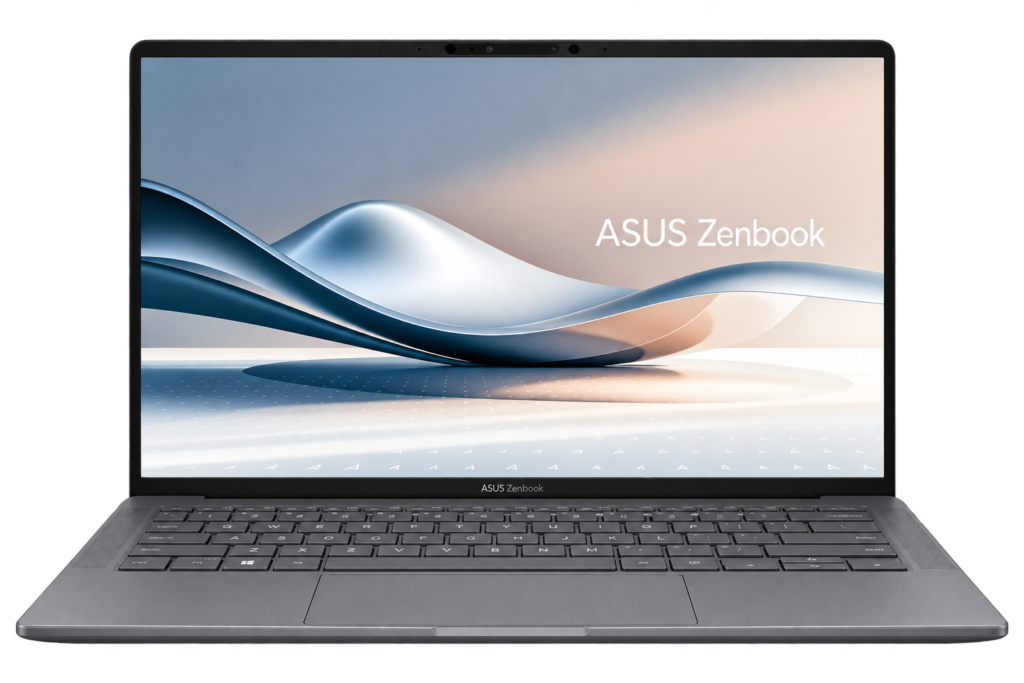
If you want a portable, premium laptop featuring modern AI hardware without paying the high price of a workstation, the ASUS Zenbook 14 is one of the smartest choices.
The 2026 configuration includes an AMD Ryzen AI processor, 16GB of memory, 1TB of SSD storage, and a high-resolution OLED display. Digit has listed the 2026 Zenbook 14 configuration featuring the Ryzen AI 5 430, 16GB RAM, 1TB SSD, and a 14-inch OLED display.
Highlights
- Lightweight design
- Stunning OLED display
- Modern AI processor
- Good performance for everyday tasks
- Excellent battery life
- 1TB storage in select configurations
- Suitable for students and professionals
Best for
- Students
- Bloggers
- Digital marketers
- Office users
- Freelancers
- Content writers
- Light creators
Note
Integrated graphics are not a substitute for a powerful discrete GPU. If your goal is serious local AI model development, consider a laptop with an NVIDIA GPU instead.
2. ASUS Zenbook A14
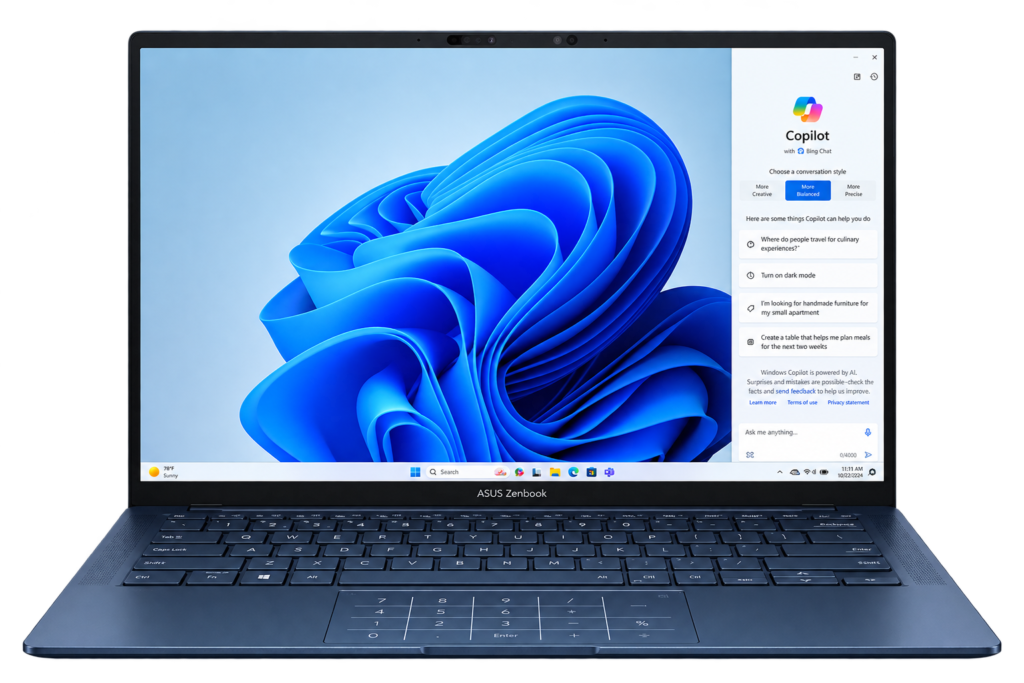
If portability is your priority, the ASUS Zenbook A14 is definitely worth considering. ASUS has listed the Zenbook A14 with a configuration featuring the Snapdragon X2 Elite and an 80 TOPS NPU, along with up to 32GB of LPDDR5X memory and up to 1TB of SSD storage.
Its standout feature is its weight; ASUS lists the model at approximately 0.99 kg.
Best for
- Frequent travelers
- Business professionals
- Students
- Writers
- Remote workers
- Those who prioritize battery life and portability
Why buy it?
You get a highly portable machine equipped with modern AI hardware.
Potential drawback
Before purchasing a Windows laptop with a Snapdragon processor, ensure that your essential apps offer native ARM support or function correctly via emulation.
This is particularly important for:
- Specialized engineering software
- Legacy Windows apps
- Certain development tools
- Older enterprise applications
3. Lenovo Yoga Slim 9i
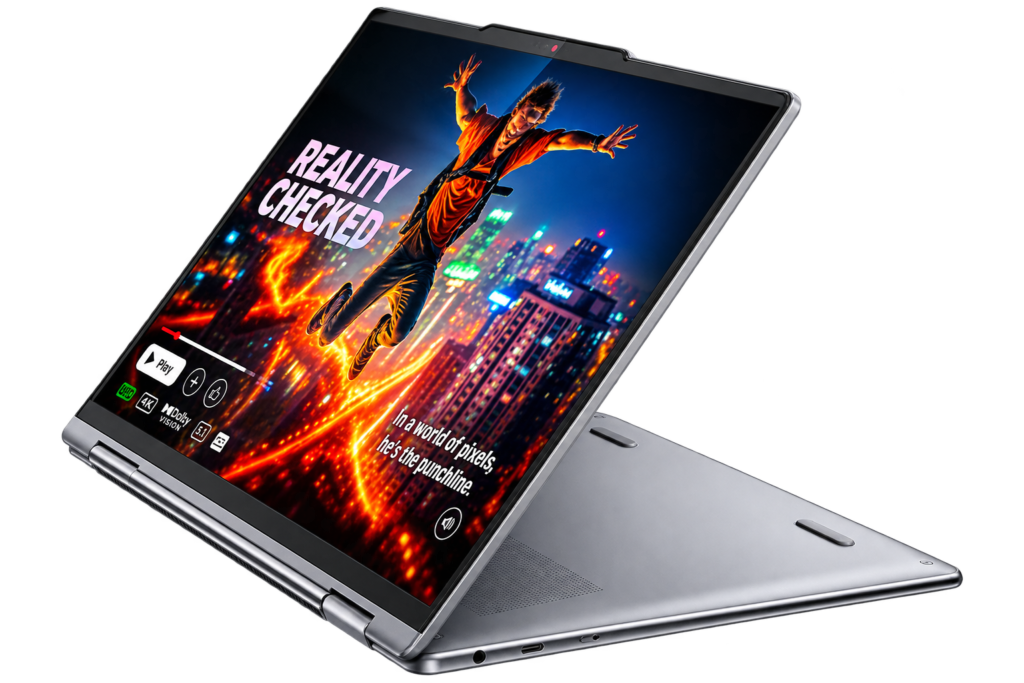
The Lenovo Yoga Slim 9i is another excellent choice for buyers seeking a premium Windows experience.
Currently available models feature configurations such as Intel Core Ultra processors, up to 32GB of RAM, and 1TB of SSD storage.
Best for
- Professionals
- Executives
- Business users
- Students with a higher budget
- Travelers
- Productivity-focused users
Key Advantages
The Yoga series offers these features:
- Premium build quality
- High-quality display
- Modern Intel AI hardware
- Portable design
- Excellent productivity performance
If you spend most of your time working with browsers, Microsoft Office, meetings, writing tools, and AI assistants, a laptop like this is a better choice for you than a heavy gaming machine.
4. Lenovo Yoga 9 2-in-1
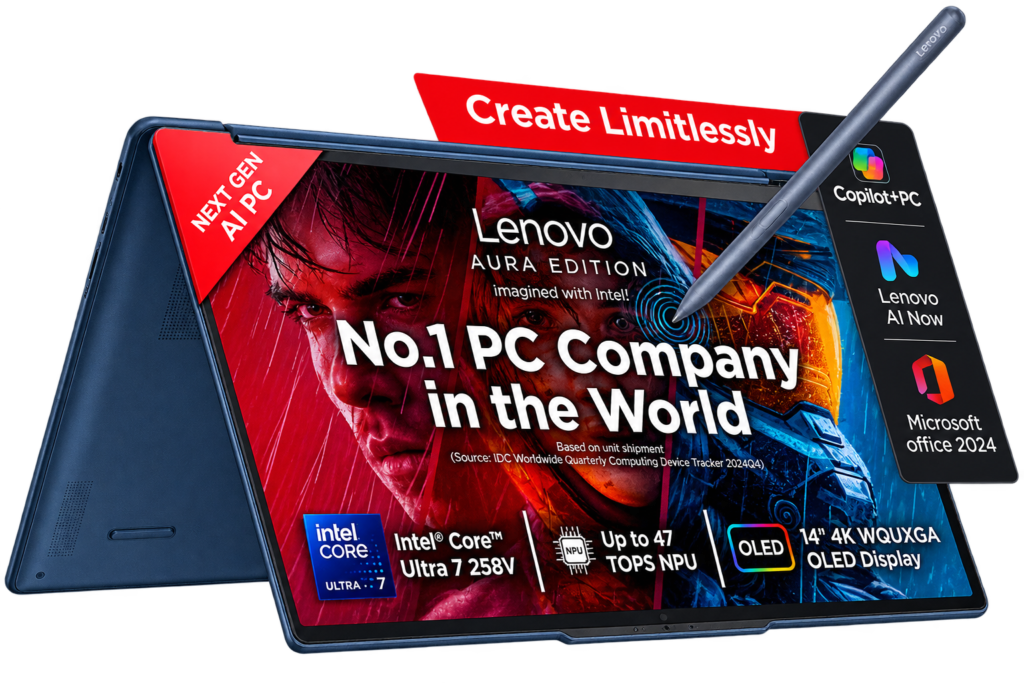
Do you need a laptop that can also function as a tablet?
The Lenovo Yoga 9 2-in-1 is a great option.
Currently available models include configurations with Intel Core Ultra 7, 32GB of RAM, and 1TB of SSD storage.
Best for
- Students
- Note-taking
- Presentations
- Digital artists
- Professionals
- Those who prefer touchscreen devices
The 2-in-1 design is highly useful when you frequently switch between typing, presentations, reading, and handwriting.
5. Dell XPS 14
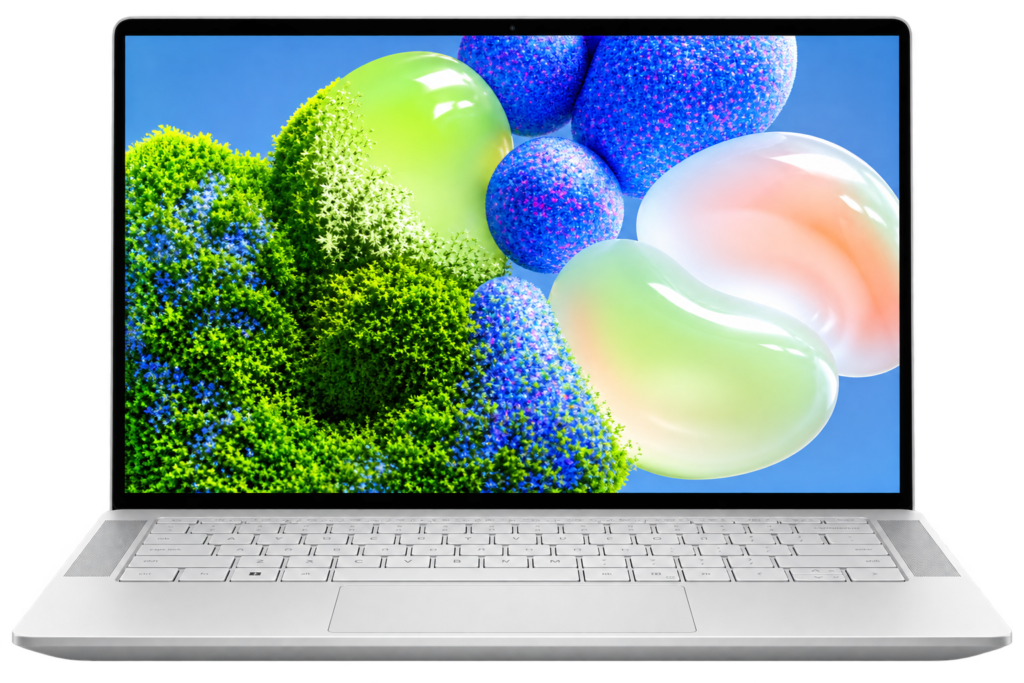
The Dell XPS 14 is designed for buyers who want a high-end Windows laptop that combines premium design with powerful performance.
Currently available models feature configurations with Intel Core Ultra Series 3 processors, 32GB of RAM, and 1TB of storage. In its July 2026 roundup, 91mobiles also named the Dell XPS 14 (2026) the best Windows ultrabook based on extensive testing.
Best for
- Professionals
- Developers
- Business users
- Premium buyers
- Productivity
- Light creative work
Main drawback
Premium XPS configurations can quickly become expensive. You are paying not just for AI performance, but also for:
- Build quality
- Display
- Portability
- Design
- Premium Windows experience
6. Samsung Galaxy Book 5 Pro
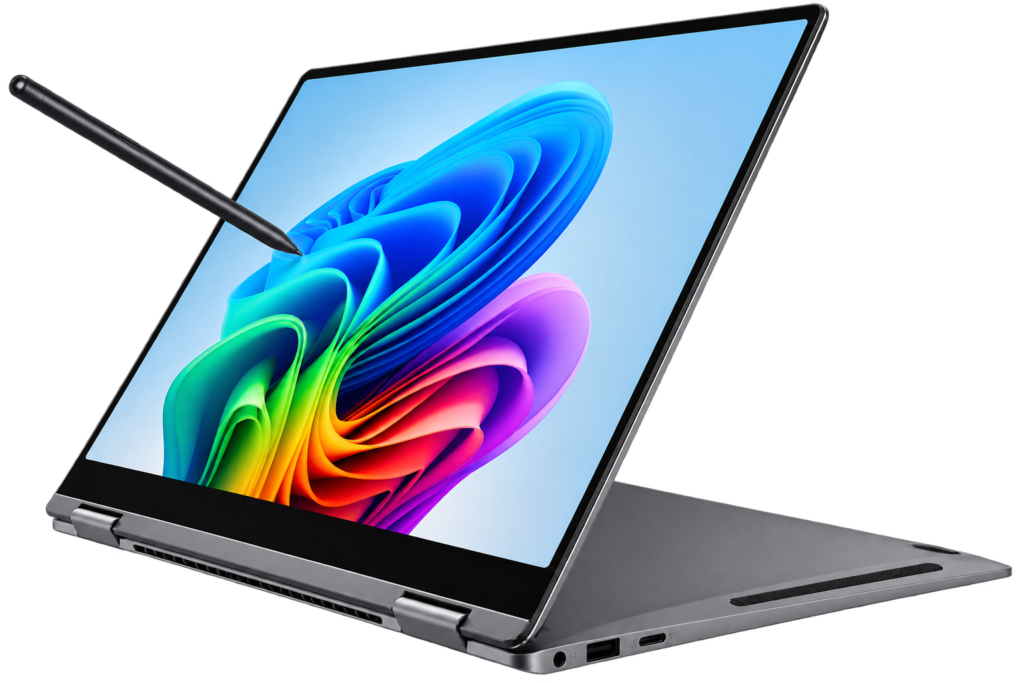
If you already use a Galaxy smartphone, tablet, earbuds, or other Samsung products, you should consider the Samsung Galaxy Book lineup.
The current 2026 listings include the Galaxy Book 5 Pro (featuring an Intel Core Ultra 5 226V, 16GB RAM, and a 14-inch display), while the new Galaxy Book 6 models fall into the high-performance category.
Best for
- Samsung phone users
- Professionals
- Students
- Travelers
- Productivity users
Why consider this?
The biggest advantage is ecosystem integration.
If both your phone and laptop are Samsung devices, file-sharing and device-connectivity features can simplify your daily tasks.
7. HP OmniBook X
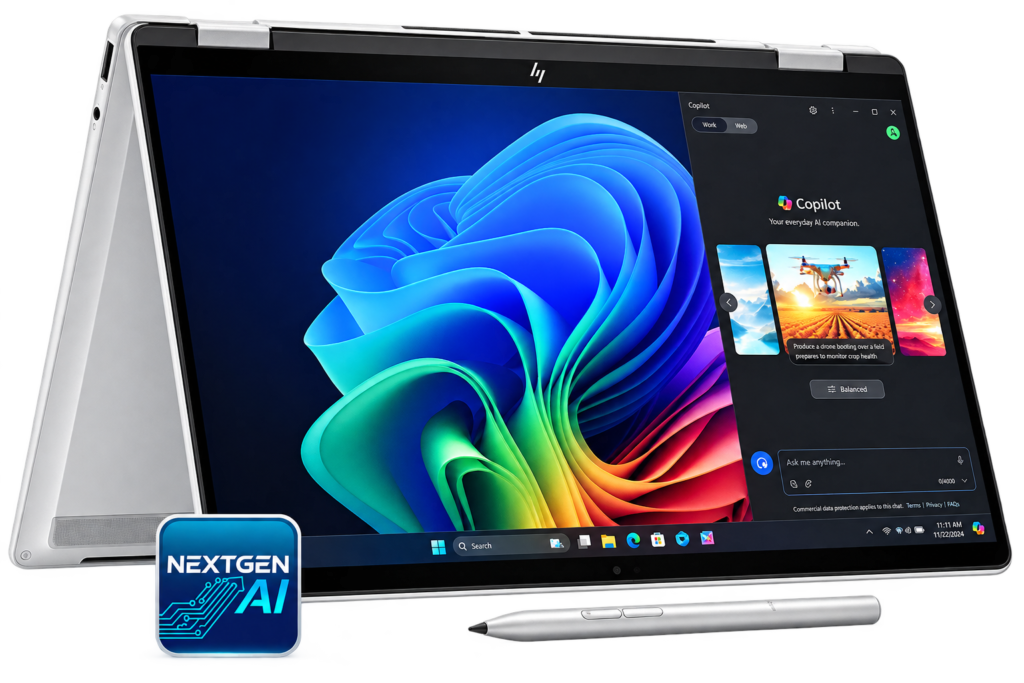
HP’s OmniBook family has become a key part of the company’s AI PC strategy.
Microsoft has included the HP OmniBook X in the list of devices featuring Copilot+ PC hardware.
Best for
- Office users
- Students
- Professionals
- Remote workers
- AI productivity applications
It is an excellent choice for users who want Windows AI features without purchasing a gaming laptop.
8. Apple MacBook Air M5
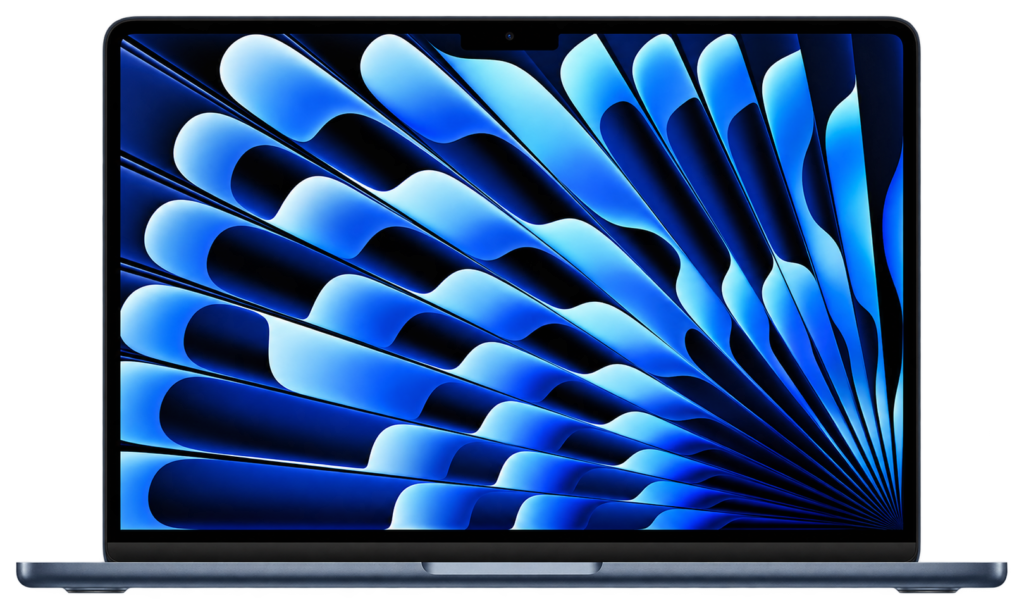
If you do not require Windows-specific software, the MacBook Air with the M5 chip is a great option.
Current 2026 laptop listings include MacBook Air M5 configurations with 16GB of memory and 512GB of SSD storage.
Best for
- Writers
- Developers
- Designers
- Students
- Content creators
- Apple ecosystem users
Apple Silicon takes a different approach to AI hardware compared to Windows Copilot+ PCs. Instead of competing solely on NPU specifications, Apple’s chips combine the CPU, GPU, Neural Engine, and unified memory to create a robust, integrated platform.
Key Point
Do not compare MacBooks and Windows AI laptops based solely on NPU TOPS.
Their architectures differ, and actual performance depends largely on the specific application.
9. MacBook Pro M5
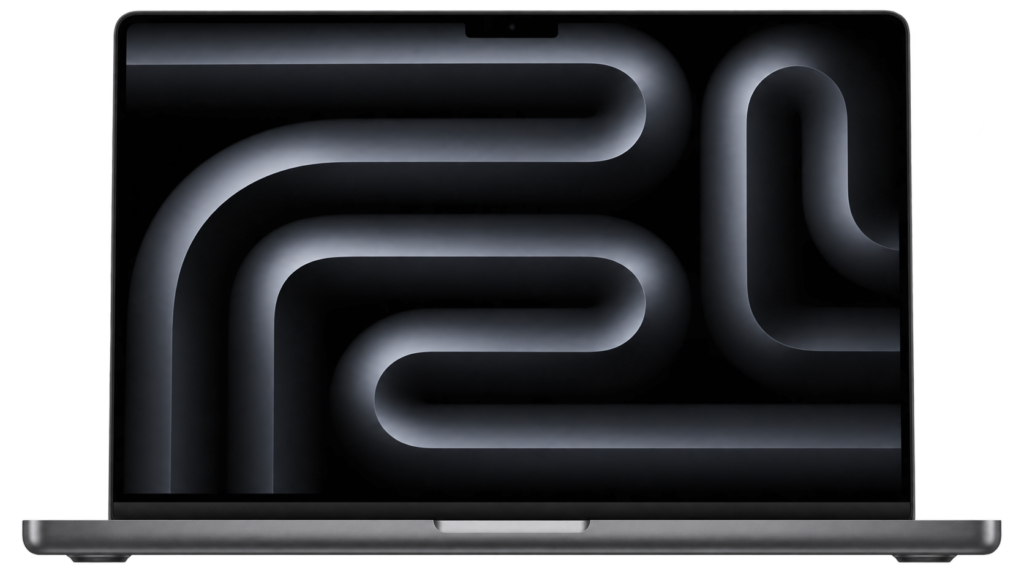
If you need performance far superior to the MacBook Air, the MacBook Pro with the M5 Pro chip is a premium choice. Current 2026 listings include configurations featuring the M5 Pro, 48GB of memory, and 2TB of storage.
Best for
- Video editors
- Developers
- Designers
- Professional creators
- Heavy multitasking workloads
It is overkill for basic browsing, writing, and office tasks.
However, for professional work, its exceptional performance and memory capacity justify the price.
AI Laptop Comparison
| Laptop | Best For | AI Hardware | RAM to Target | GPU Type |
|---|---|---|---|---|
| ASUS Zenbook 14 | Most users | Ryzen AI / NPU | 16GB–32GB | Integrated |
| ASUS Zenbook A14 | Portability | Snapdragon AI platform | Up to 32GB | Integrated |
| Lenovo Yoga Slim 9i | Premium productivity | Intel Core Ultra | 32GB | Integrated |
| Lenovo Yoga 9 2-in-1 | Touch/2-in-1 | Intel Core Ultra | 32GB | Integrated |
| Dell XPS 14 | Premium Windows | Intel Core Ultra | 32GB+ | Integrated/dedicated depending configuration |
| Samsung Galaxy Book | Samsung users | Intel Core Ultra | 16GB+ | Integrated |
| HP OmniBook X | Windows AI | Copilot+ hardware | 16GB–32GB | Integrated |
| MacBook Air M5 | macOS users | Apple silicon | 16GB+ | Integrated |
| MacBook Pro M5 Pro | Professional creators | Apple silicon | 32GB–48GB+ | Integrated |
Note: Configurations, prices, processors, and availability vary by retailer and region. Always verify the exact Indian configuration before purchasing.
Best AI Laptop by User Type
Best AI Laptop for Students
Look for these specifications:
- 16GB RAM
- 512GB or 1TB SSD
- Modern NPU
- 13–14-inch display
- Good battery life
- Weight under approximately 1.5kg
Recommended models
ASUS Zenbook 14 or Lenovo Yoga models
You don’t need an expensive workstation unless you are studying AI/ML and plan to run heavy models locally.
Best AI Laptop for Content Writers
For content writing, SEO, blogging, and research, prioritize these features:
- Keyboard
- Display
- Battery
- 16GB RAM
- SSD
- AI features
You likely won’t need an RTX GPU.
Recommended
ASUS Zenbook 14, Lenovo Yoga Slim 9i, MacBook Air M5
Best AI Laptop for Digital Marketers
Digital marketers typically work with:
- Chrome
- Google Docs
- Canva
- WordPress
- SEO tools
- Analytics dashboards
- AI assistants
- Video calls
For this type of work, a premium, lightweight AI laptop is often better than a gaming laptop.
Recommended
Zenbook 14 or Lenovo Yoga Slim 9i
Best AI Laptop for Developers
Developers should focus on:
- 32GB RAM
- 1TB SSD
- Powerful CPU
- Good compatibility with Linux/Windows/macOS
- Excellent keyboard
- Multiple ports
If you develop AI applications locally, include these as well:
- NVIDIA GPU
- High VRAM
- CUDA support (if needed)
Best AI Laptop for Machine Learning
This is where the purchasing decision changes. If you want to perform tasks such as:
- Training models
- Fine-tuning models
- Running local LLMs
- Generating images locally
- Working with large datasets
…then prioritize a dedicated GPU and VRAM.
A thin laptop with a 50–80 TOPS NPU might be excellent for AI-assisted productivity, but it could be a poor choice for GPU-accelerated machine learning.
The 2026 India AI/ML Buying Guide also distinguishes between laptops designed for general AI-PC workloads and those built for local model training, while emphasizing the importance of GPU VRAM for large models.
How Much Should You Spend?
Your budget should be based on your workload rather than just an “AI” label.
Under ₹70,000
Look for:
- 16GB RAM
- 512GB SSD
- Modern Ryzen/Intel processor
- Basic AI acceleration
You might have to compromise on premium displays or advanced NPU capabilities.
₹70,000–₹1,00,000
This is a particularly interesting segment.
You can get:
- Better AI processor
- 16GB RAM
- 512GB–1TB SSD
- OLED display
- Better battery life
- Premium, lightweight design
For example, ASUS currently offers AI-oriented models in this price range, priced around ₹73,990 and ₹89,990.
₹1,00,000–₹1,50,000
This is where premium AI laptops become more compelling.
You can expect:
- Top-tier processor
- 32GB configuration
- Superior display
- Premium build
- More robust AI performance
Above ₹1,50,000
Consider this range if you need:
- Professional content creation
- Software development
- Heavy multitasking
- Dedicated GPU
- Local AI processing
- High-end display
- Workstation-level performance
Don’t spend this much just to get an “AI PC” label on the specifications sheet.
NPU vs CPU vs GPU
This is one of the most important concepts to understand before buying.
| Component | Main Job | AI Use |
| CPU | General computing | AI applications and traditional workloads |
| GPU | Parallel processing | Heavy AI, graphics, ML, video |
| NPU | Neural workloads | Efficient on-device AI |
Simple example
Imagine you are on a video call.
Your NPU can handle supported background effects or AI enhancements efficiently.
Now imagine you are training a large neural network.
That workload may require a powerful GPU with significant VRAM.
Therefore:
NPU = efficient everyday AI
GPU = serious AI compute
That distinction can save you from buying the wrong laptop.
How Much RAM Do You Need?
8GB
Avoid if you want your laptop to remain comfortable for several years.
16GB
The sweet spot for most users.
Good for:
- Office work
- Browsing
- AI tools
- Blogging
- Digital marketing
- Students
- Light development
32GB
Recommended for:
- Developers
- Creators
- Heavy multitaskers
- Professional users
- Local AI experimentation
64GB+
Useful for:
- Professional AI development
- Large datasets
- Virtual machines
- High-end content creation
- Large local models
Common AI Laptop Buying Mistakes
Mistake 1: Buying based solely on the "AI PC" label
AI branding doesn’t give you the full picture.
Always check the processor, NPU, RAM, GPU, VRAM, and software compatibility.
Mistake 2: Ignoring GPU VRAM
If you want to run local AI models, VRAM can become a major bottleneck.
Mistake 3: Buying a laptop with 8GB of RAM
AI applications and modern browsers can consume a lot of memory.
Mistake 4: Ignoring ARM compatibility
Snapdragon-powered Windows laptops can be excellent, but some applications may behave differently compared to traditional x86 Windows machines.
Mistake 5: Overspending on AI features you won't use
If your work primarily involves:
- WordPress
- Chrome
- Google Docs
- SEO
- Canva
- Zoom
…then you probably don’t need an AI workstation costing over ₹2 lakhs.
Mistake 6: Ignoring thermals (heating)
A powerful processor housed in a very thin chassis (body) can slow down (throttle) during sustained workloads.
Better cooling is essential for long-running AI tasks or rendering work.
Pros and Cons of AI Laptops
Pros
- Faster supported AI workloads
- Better power efficiency for some AI tasks
- Local AI processing
- Improved video-call features
- Modern processors
- Better future readiness
- Strong productivity features
- Potentially longer battery life
Cons
- Premium pricing
- AI features vary by operating system
- NPU performance does not equal GPU performance
- Some AI features require specific software
- ARM compatibility can still matter
- AI branding can be misleading
Conclusion
The best AI laptops in India in 2026 aren’t necessarily the ones with the biggest AI-related numbers printed on the box.
The smartest purchase is one that aligns with your actual workflow.
If you are a student, blogger, digital marketer, writer, or office professional, lightweight AI laptops—such as the ASUS Zenbook 14, Lenovo Yoga series, or similar Copilot+ devices—offer an excellent balance of performance, battery life, portability, and AI features.
If you are a developer or an AI/ML enthusiast, don’t focus solely on NPU specifications. Prioritize 32GB or more RAM, a powerful processor, and a dedicated GPU with sufficient VRAM to handle the models you use.
And if you are a professional creator, factors like display quality, sustained performance, thermal management, memory, GPU capabilities, and application compatibility matter more than AI branding.
The AI laptop market is evolving rapidly. Intel, AMD, Qualcomm, Apple, and laptop manufacturers are bringing AI computing capabilities to thinner, more efficient machines. For instance, the current Intel Core Ultra Series 3 platform delivers new CPU and GPU architectures alongside significantly higher total platform AI throughput.
So, before you buy, ask yourself one simple question:
“What specific AI tasks do I actually need my laptop to perform?”
Once you have the answer, choosing the right machine becomes much easier.
Did you find this guide helpful? Share it with someone planning to buy an AI laptop in India, and let us know in the comments which laptop you are considering.
FAQs
1. Which is the best AI laptop in India in 2026?
For most users, the ASUS Zenbook 14 is an excellent all-round choice. It offers modern AI hardware, portability, a stunning display, and impressive performance for everyday tasks. However, developers and AI professionals might need a laptop with a dedicated NVIDIA GPU.
2. What is an AI laptop?
An AI laptop is a computer equipped with specialized hardware designed to accelerate tasks related to Artificial Intelligence (AI). Modern AI PCs typically feature an NPU (Neural Processing Unit) alongside the CPU and GPU.
3. Is 16GB RAM enough for an AI laptop?
Yes. 16GB is sufficient for most productivity tasks, AI-assisted workflows, web browsing, office work, and content writing. However, if you intend to build AI applications or run local models, opt for a laptop with 32GB of RAM.
4. Is an NPU essential for an AI laptop?
Yes, especially for efficiently running on-device AI features. However, for complex machine-learning tasks, an NPU cannot replace a powerful GPU.
5. How many TOPS should an AI laptop have?
For Microsoft’s Copilot+ PC category, the NPU requirement exceeds 40 TOPS. For more demanding tasks, do not focus solely on TOPS; GPU performance and VRAM may be more critical.
6. Is it worth buying an AI laptop in 2026?
Yes, if you are purchasing a new laptop and desire modern AI features, enhanced capabilities, and future-proof hardware. However, avoid paying a premium solely for the “AI” label.
7. Which is better for AI: NPU or GPU?
They serve different purposes. NPUs are designed for efficient AI inference and supported AI features, whereas GPUs are generally more essential for complex AI development, model training, and GPU-accelerated tasks.
8. Is a MacBook good for AI tasks?
Yes. Macs with Apple Silicon can be excellent for development, productivity, creative work, and certain local AI tasks. However, Windows laptops with NVIDIA GPUs may be better suited for software stacks that rely heavily on CUDA.
9. Should I buy a Snapdragon AI laptop?
A Snapdragon laptop can be a great choice for battery life, portability, and AI features. Before purchasing, however, make sure to check if it is compatible with the specific Windows applications you use.
10. What should I look for in an AI laptop?
Prioritize at least 16GB of RAM, a fast SSD, a modern AI-capable processor, good battery life, and a high-quality display. If you intend to engage in serious AI development, prioritize a dedicated GPU and higher VRAM.
Also Read: Techlymate