
Best Browser for AI Agents in 2026: Top Browsers Compared
Introduction
Imagine telling an AI agent: “Find the best flights, compare prices, fill out the forms, and prepare the booking for me.”
Instead of just providing links, the agent actually opens the website, clicks buttons, reads pages, fills in forms, switches tabs, and completes multi-step tasks.
This is the promise of AI browser agents.
However, there is a catch: not every browser is equally suitable for AI agents. A traditional browser might be excellent for humans, but controlling it reliably can be challenging for an autonomous agent. Furthermore, the needs of developers differ significantly from those of average users.
Some require a browser capable of controlling an existing Chrome session, while others need thousands of distinct cloud browser sessions. Some prioritize trust and authentication, whereas others prefer open-source software and full control.
So, which is the best browser for AI agents in 2026?
The short answer is:
For developers building production-grade AI agents, Browserbase + Stagehand is arguably one of the most robust options available. For open-source development, Browser Use is an excellent choice. For Chrome-based development and debugging, using Chrome with Chrome DevTools offers significant advantages for agents. For consumer-focused developers seeking an AI-powered browser rather than infrastructure, Comet and Microsoft Edge are among the top choices.
The right choice depends on what you want your agent to accomplish.
In this guide, we will compare the leading options, outline the features that make a browser suitable for AI agents, and identify the best browsers for various use cases.
What is an AI agent browser?
An AI agent browser is a browser environment that enables AI systems to interact with websites, rather than just reading them.
Brief definition
An AI agent browser is a browser or browser infrastructure that allows an AI agent to navigate websites, read content, click on elements, input information, extract data, and complete multi-step web tasks.
Traditional AI assistants typically only provide information.
Browser agents can actually complete tasks.
For example, a traditional chatbot might tell you:
“Here are five hotels in Delhi.”
In contrast, a browser agent can do the following:
- Search for hotel websites.
- Compare prices.
- Check availability.
- Apply filters.
- Open the selected hotel.
- Fill in booking details.
- Pause for your approval before payment.
This distinction is crucial.
What makes a browser better for AI agents?
The fastest browser is not necessarily the best browser for an AI agent.
Agents require a different set of capabilities.
1. Reliable browser control
Agents need to interact with:
- Buttons
- Forms
- Menus
- Tabs
- Dropdowns
- JavaScript applications
- Dynamic pages
- Authentication flows
The browser must make these interactions predictable.
2. Structured Page Information
AI models do not always require screenshots.
A browser that exposes the accessibility tree, DOM information, page structure, or other structured data can make the agent’s operations more reliable.
For example, Microsoft’s Playwright MCP allows an LLM to interact with a webpage via structured accessibility snapshots, rather than relying entirely on vision.
This can reduce unnecessary visual processing.
3. JavaScript Support
Modern websites rarely consist solely of static HTML.
They often rely on:
- React
- Vue
- Angular
- JavaScript APIs
- Dynamic content
- Client-side rendering
A capable AI browser must be able to render these pages correctly.
4. Persistent Sessions
Consider an agent that needs to use a website where you are already signed in.
Starting from a completely fresh browser instance every time can be inconvenient.
Persistent profiles and session management help the agent maintain the correct browser state.
This is particularly important for:
- SaaS applications
- Research platforms
- Business dashboards
- Internal tools
- E-commerce workflows
5. Authentication Support
Authentication is one of the most challenging aspects of browser automation.
A production-grade AI agent may need to handle:
- Login pages
- Cookies
- OAuth
- MFA
- Session expiration
- Authentication redirects
A robust infrastructure must include a secure way to handle these workflows.
6. Human-in-the-Loop Control
AI agents do not always need to operate fully autonomously.
For sensitive tasks, it is often preferable to have a human approve the final step. For example:
- Making purchases
- Financial transactions
- Sending important emails
- Deleting data
- Changing account settings
- Publishing content
Modern browser-agent infrastructure is increasingly supporting human intervention. For instance, Cloudflare Browser Run includes human-in-the-loop capabilities and session recording.
The Best Browsers for AI Agents in 2026
Here are the strongest options to consider:
| Browser / Platform | Best For | Open Source | Cloud | AI Agent Focus |
|---|---|---|---|---|
| Browserbase + Stagehand | Production agents | Yes* | Yes | ⭐⭐⭐⭐⭐ |
| Browser Use | Open-source AI automation | Yes | Yes | ⭐⭐⭐⭐⭐ |
| Chrome + DevTools for Agents | Development & debugging | Tools are open | Local | ⭐⭐⭐⭐⭐ |
| Cloudflare Browser Run | Scalable cloud agents | No | Yes | ⭐⭐⭐⭐⭐ |
| Microsoft Edge | Consumer productivity | No | Local | ⭐⭐⭐⭐ |
| Perplexity Comet | AI-assisted browsing | No | Consumer | ⭐⭐⭐⭐ |
| Playwright | Programmable automation | Yes | Depends | ⭐⭐⭐⭐ |
*Stagehand itself is open source; Browserbase is the managed infrastructure platform.
1. Browserbase + Stagehand — Best for Production AI Agents
If you are building serious browser agents, Browserbase is one of the best options available.
Browserbase provides cloud browser infrastructure, while Stagehand offers an AI-oriented automation layer.
Stagehand is built specifically for browser agents and provides the following capabilities:
- act()
- extract()
- observe()
- Natural-language browser actions
- Structured extraction
- Dynamic page handling
Its official documentation describes Stagehand as an open-source SDK designed to make browser agents robust and production-ready.
Why it stands out
Traditional browser automation often relies heavily on selectors.
The problem is simple:
Websites are constantly changing.
A CSS selector that works today might stop working tomorrow.
Instead, Stagehand allows you to instruct the agent using natural language, such as:
“Click the comments link for the top story.”
It can also extract structured information from pages.
Stagehand v4
In August 2026, Browserbase introduced Stagehand v4, featuring updates specifically for browser agents, such as improved context management, self-healing actions, and iframe support. Browserbase claims that internal benchmarking showed v4 to be twice as fast and approximately 80% more token-efficient than Playwright; these figures are provided by the vendor and are not derived from independent benchmarks.
Pros
- Excellent for production agents
- Natural-language browser actions
- Structured data extraction
- Open-source SDK
- Robust cloud infrastructure
- Support for TypeScript, Python, and Go
- Designed for AI agents
Cons
- More complex than standard browsers
- Cloud infrastructure can increase costs
- Overkill for simple automation
Requires development knowledge
2. Browser Use — Best open-source option
Browser Use is another major name in AI browser automation.
Its approach is straightforward:
Assign a task to the AI agent using natural language and let it interact with the browser.
Its documentation outlines various use cases, such as:
- Data extraction
- Form filling
- Multi-step workflows
- Research
- Monitoring
- Testing
- Scheduling
It can also work with managed cloud browser infrastructure.
Example:
Instead of writing dozens of selectors, you can describe a task like this:
“Find today’s top technology stories, compare the first 20 results, and create a summary.”
The agent handles the interaction with the browser.
Why do developers like it?
Browser Use offers both an open-source option and a managed cloud solution.
This gives developers greater flexibility.
You can start locally and switch to managed infrastructure as needs grow.
Its existing cloud tools support browser sessions, profiles, recordings, proxies, and persistent workflows.
Pros
- Open-source
- Task completion via natural language
- Robust AI-agent-based architecture
- Python support
- Cloud options
- Useful for research and data scraping
- Strong developer ecosystem
Cons
- Agent behavior can be less predictable compared to traditional scripts
- Complex production deployments require additional engineering
- AI inference increases costs and latency
3. Chrome + Chrome DevTools for Agents — Best for Developers
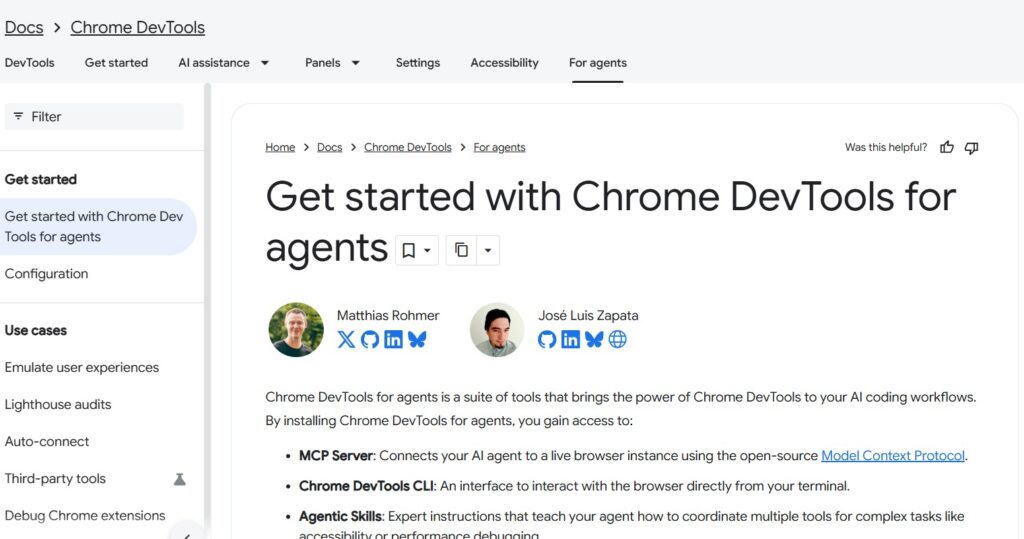
If you already use Chrome, don’t overlook the browser itself.
Google has introduced ‘Chrome DevTools for Agents,’ which allows AI agents to interact with Chrome and leverage DevTools capabilities for testing, debugging, and verification.
It can assist agents with tasks such as:
- Navigating websites
- Interacting with pages
- Checking browser state
- Debugging applications
- Running Lighthouse audits
- Testing responsive experiences
- Investigating frontend issues
It supports MCP-based clients, including tools like Gemini CLI, Claude Code, Cursor, and Copilot.
Why it matters
Imagine you are building a website.
Instead of having an AI coding agent check only your source code, you can let it inspect the live, running website.
It can then check for:
- Console errors
- Layout issues
- Accessibility
- Performance
- Network behavior
- DOM state
This is what makes Chrome particularly useful for developers.
Auto-connect
‘Chrome DevTools for Agents’ can also connect an agent to an existing Chrome session.
However, there is an important security consideration involved.
An agent connected to an active browser session can gain access to:
- Cookies
- Session storage
- Local storage
- Logged-in accounts
- Open tabs
- Other browser data
Chrome’s documentation explicitly warns users to connect only trusted agents to such sessions.
Best for
Developers who want AI agents to test, debug, and control actual Chrome sessions.
4. Cloudflare Browser Run — Best for scalable cloud infrastructure
Cloudflare Browser Run is another excellent option for developers.
Browser Run provides browser sessions that run on Cloudflare’s global network.
It supports:
- Playwright
- Puppeteer
- CDP
- Stagehand
- Screenshots
- PDFs
- Web scraping
- Browser automation
Cloudflare positions Browser Run as infrastructure for running ‘headless Chrome’ (Chrome without a GUI) at a global scale for tasks such as automation, scraping, testing, and content generation.
Why it is interesting for AI agents
Browser Run also supports AI-oriented browser workflows through Cloudflare Agents.
Agents can inspect rendered pages, take screenshots, debug frontend behavior, and extract information that isn’t available in static HTML.
Kitesurf
In August 2026, Cloudflare launched Kitesurf, a stateless browser built for AI-agent workloads. Cloudflare claims that Kitesurf uses 3–7 times less CPU and memory than Chromium for specific agentic tasks like screenshots and HTML extraction. Note that these figures are provided by the vendor and are not independent benchmark results.
Best for
Teams that need scalable browser infrastructure and are already using the Cloudflare ecosystem.
5. Microsoft Edge — Best for everyday users who want agentic browsing
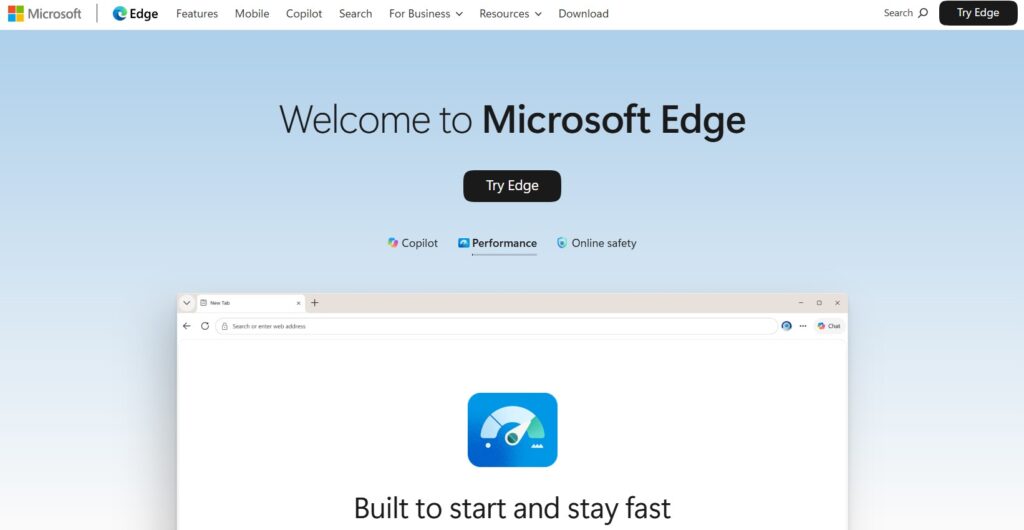
For general users, the answer is different.
You don’t necessarily need Browserbase or Browser Use.
Microsoft Edge has built-in Copilot capabilities, and Microsoft is adding more agentic browsing functions to it. In Edge, Copilot can interact with web pages, PDFs, videos, and open tabs. Microsoft’s ‘Browse with Copilot’ feature can perform the following actions:
- Clicking
- Typing
- Navigating tabs
- Interacting with web pages
Microsoft states that these actions occur locally within the browser, and users can observe the process or take control at any time.
Key Limitation
Availability may vary based on market and subscription plans.
Microsoft notes that ‘Browse with Copilot’ is currently rolling out to consumers in the US via Microsoft 365 Premium and will soon be available in other markets.
Best For
Everyday users who want AI assistance within a familiar browser.
6. Perplexity Comet — Best AI-native consumer browser
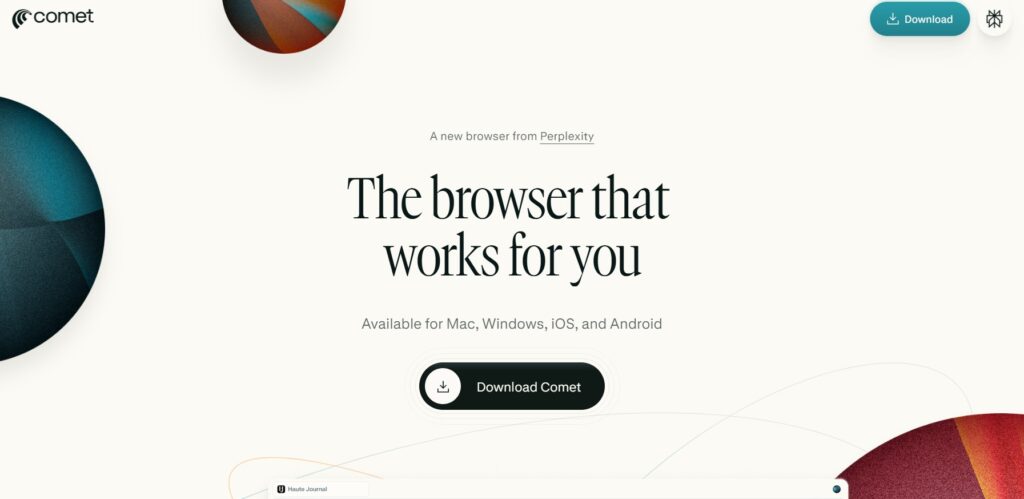
Perplexity Comet takes a different approach.
Instead of adding AI to an existing browser, Comet is specifically designed for AI-assisted browsing.
Perplexity describes Comet as an AI-powered Chromium browser that combines browsing with an assistant capable of searching, summarizing, and automating tasks.
Key Features
Comet can assist with:
- Research
- Summarization
- Form interaction
- Web tasks
- Page analysis
- Writing
- Translation
Its assistant panel operates alongside your browsing session and can draw context from your current page or other open tabs.
It also offers an inline assistant for tasks such as summarizing, fact-checking, translating, and rewriting text.
Best For
Users who want an AI-first browser rather than a developer platform.
Consumer AI Browsers vs. Developer Browser Infrastructure
This distinction is crucial.
People looking for the “best browser for AI agents” are actually asking two different questions.
Consumer AI Browsers
Examples:
- Comet
- Microsoft
- Edge
- Other AI-native browsers
These are designed for everyday users.
You open the browser and ask the AI for help.
Common tasks
- Research
- Summarization
- Shopping
- Writing
- Product comparison
- Organizing information
Developer Browser Infrastructure
Examples:
- Browserbase
- Stagehand
- Browser Use
- Cloudflare
- Browser Run
- Playwright
- Chrome DevTools for agents
These are designed for developers building agents.
Common tasks
- Web automation
- Data extraction
- Testing
- SaaS automation
- Customer workflows
- Multi-step automated tasks
- Large-scale browser sessions
Rule-based automation
If you need an AI browser for personal use, check out Comet or Edge. If you want to build AI browser agents, consider Browserbase, Browser Use, Chrome DevTools, Cloudflare Browser Run, or similar infrastructure.
Browserbase vs Browser Use vs Chrome vs Cloudflare
Feature
Browserbase/Stagehand
Browser Use
Chrome DevTools
Cloudflare Browser Run
AI-agent focus
Excellent
Excellent
Excellent
Excellent
Open-source component
Yes
Yes
Yes
Limited
Cloud infrastructure
Yes
Yes
Not primarily
Yes
Local browser
Possible through tooling
Yes
Yes
Not primarily
Natural-language actions
Yes
Yes
Through agent
Through agent
Debugging
Excellent
Good
Excellent
Excellent
Scalability
Excellent
Excellent
Depends
Excellent
Best for developers
Yes
Yes
Yes
Yes
Best for consumers
No
No
Limited
No
Production agents
Excellent
Excellent
Good
Excellent
How to Choose the Best Browser for AI Agents
Don’t choose based solely on popularity.
Ask these seven questions.
1. Do you need a consumer browser or developer infrastructure?
This is the first decision you need to make.
If you are a general user, consider these:
- Comet
- Edge
If you are building agents, consider these:
- Browserbase
- Browser Use
- Chrome
- DevTools
- Cloudflare Browser Run
2. Do you need a cloud browser?
Cloud browsers are useful when your agent needs to:
- Run continuously
- Operate at scale
- Run on a server
- Run across multiple sessions
- Operate without keeping your computer on
If so, managed infrastructure might be a better option.
3. Do you need persistent authentication (staying logged in)?
If your agent interacts with accounts, session management becomes crucial.
Consider these factors:
- Persistent profiles
- Secure cookies
- Session management
- Authentication support
- Isolation between users
4. Do you need deterministic automation?
If the workflow is simple and predictable, traditional Playwright automation might be better than a fully autonomous agent.
For example:
Open website → Click a specific button → Download report.
You might not need an LLM for every step.
AI is most useful when the workflow changes frequently or is unpredictable.
5. Do you need human approval?
For sensitive workflows, choose infrastructure with robust ‘human-in-the-loop’ capabilities. The goal shouldn’t be:
“Let the AI do everything.” Often, the safest design approach is:
AI creates a plan → AI performs low-risk tasks → A human approves high-risk tasks.
6. What happens when the website changes?
This is one of the biggest differences between traditional automation and AI agents.
A brittle automation script can fail when:
- A button changes position
- The text changes
- The CSS class changes
- The page layout changes
- An iframe is introduced
Agent-oriented tools aim to reduce this maintenance burden through high-level actions and adaptive behavior.
7. What is the cost of each action?
AI agents can be expensive because each step may involve:
- Model inference
- Browser compute
- Network requests
- Screenshots
- Tokens
- Storage
- Proxy usage
Do not compare tools based solely on the advertised monthly price.
Calculate:
The cost per successful task.
This matters more.
Browser Agent Security: What You Need to Know
AI browser automation raises significant security concerns.
A browser agent can access the same information available during a human’s browser session.
This can include:
- Emails
- Private documents
- Account dashboards
- Cookies
- Login sessions
- Payment information
- Business data
Chrome explicitly warns that connecting an agent to a pre-authenticated browser session can expose the browser’s content and active session data to that agent.
Similarly, Microsoft advises against performing sensitive tasks—such as financial transactions or handling government IDs and medical records—while using agentic browsing.
Security Checklist
Before deploying an AI browser agent:
- Use separate browser profiles.
- Grant the agent only necessary permissions.
- Do not provide access to unnecessary accounts.
- Require human approval for sensitive tasks.
- Maintain logs of the agent’s activities.
- Monitor the session.
- Rotate credentials periodically.
- Keep development and production accounts separate.
- Never grant unlimited browser access to an untrusted agent.
A Key New Development: WebMCP
One of the most interesting developments in AI browser automation is WebMCP.
Instead of the agent having to visually interpret a webpage and click on interface elements, a website can provide structured tools directly to the agent.
For example, a travel website could provide:
searchFlights()
…instead of the AI agent having to:
- Locate the search box.
- Click on it.
- Type the origin location.
- Locate the destination field.
- Type the destination.
- Click search.
- Understanding the results.
Cloudflare’s WebMCP documentation describes it as a way to provide websites with tools that agents can directly discover and utilize.
This could pave the way for future browser agents that are:
- Faster
- More reliable
- More cost-effective
- Less dependent on screenshots
- Less affected by UI changes
It could become a key component of the next generation of agentic web infrastructure.
Which is the best browser for AI agents?
There is no single browser that is best for every situation.
Here is a practical answer:
🏆 Best overall for production AI agents
Browserbase + Stagehand
An excellent combination of browser infrastructure and AI-oriented automation.
🧑💻 Best open-source AI browser framework
Browser Use
A great choice if you prefer an open-source-first approach.
🔧 Best for developers and debugging
Chrome + Chrome DevTools (for agents)
Especially useful when your agent needs to inspect and test real websites.
☁️ Best for cloud-scale browser workloads
Cloudflare Browser Run
A great option for teams already using Cloudflare infrastructure.
👤 Best for daily AI-assisted browsing
Perplexity Comet
Designed as an AI-native consumer browser.
🪟 Best for Microsoft users
Microsoft Edge + Copilot
A practical choice for those already within the Microsoft ecosystem.
🎭 Best as a foundation for traditional automation
Playwright
Very useful when you need deterministic, programmable browser automation rather than a fully autonomous agent. Microsoft’s Playwright MCP provides an AI-friendly interface built on top of Playwright.
Best Browser for AI Agents by Use Case
Your Goal
Recommended Option
Build production AI agents
Browserbase + Stagehand
Build open-source agents
Browser Use
Test websites with AI
Chrome DevTools
Debug frontend applications
Chrome DevTools
Cloud browser automation
Cloudflare Browser Run
AI-powered personal browsing
Comet
Microsoft ecosystem
Edge
Deterministic browser automation
Playwright
Large-scale browser workloads
Browserbase / Cloudflare
Experiment with autonomous browsing
Browser Use
A Practical Suggestion
If you are starting to use AI browser agents, do not immediately build a complex autonomous system.
Start with a small workflow.
Step 1: Choose a task
For example:
“Collect prices for 20 products from three websites.”
Step 2: Define success
The agent should provide this information:
- Product name
- Price
- URL
- Timestamp
Step 3: Choose your browser technology
For experimentation:
Browser Use
For production:
Browserbase + Stagehand
For website testing:
Chrome DevTools for agents
Step 4: Add safety measures
Do not allow these actions initially:
- Making purchases
- Deleting accounts
- Financial transactions
- Changing passwords
Step 5: Measure success
Track these metrics:
- Completion rate
- Average execution time
- Cost per task
- Number of retries
- Human intervention
- Reasons for failure
This reveals how effective the agent actually is.
Pros and cons of AI browser agents
Pros
- Automating websites without APIs
- Handling multi-step workflows
- Reducing repetitive manual tasks
- Extracting information from dynamic websites
- Conducting research across multiple sites
- Filling out forms
- Testing websites
- Working with legacy systems
Cons
- Potential for errors
- More expensive than simple scripts
- Can be slower than direct API calls
- Security risks
- Authentication can be difficult
- Websites may block automation
- AI inference can be unpredictable
Therefore, the best solution is usually a hybrid approach.
Use APIs wherever they are available. Use fixed (deterministic) browser automation where the workflow is predictable.
Use AI agents where flexibility is truly essential.
AI Agents: The Future of Browsing
The browser is becoming a crucial interface between AI and the real world.
Current agents often operate like this:
LLM → Browser → Website → Screenshot/DOM → LLM → Action
In the future, it might look something like this:
LLM → Structured Web Tools → Website
Technologies like MCP and WebMCP point toward a web where websites can expose their capabilities directly to AI agents, rather than agents having to mimic human actions for every task.
This could completely transform web automation.
Instead of merely interacting with websites as a human would, agents could interact with them through standardized capabilities designed specifically for machine use.
Conclusion
The best browser for AI agents in 2026 depends on your specific use case.
If you are building a serious production system, Browserbase + Stagehand is one of the best options.
If you prefer an open-source approach, you should definitely consider Browser Use.
If your priority is website development, testing, and debugging, then Chrome—leveraging Chrome DevTools—is a powerful choice for agents.
For cloud-native workloads, Cloudflare Browser Run is another excellent option.
And if you are simply looking for an AI-powered browser for personal use, tools like Perplexity Comet or Microsoft Edge (with Copilot) are more suitable than developer-centric browser infrastructure.
The biggest mistake is choosing a browser solely based on how “smart” its AI appears to be.
For agentic workflows, reliability, security, authentication, observability, session management, and the cost of successful task completion are just as important as the model’s intelligence.
The best browser is one that helps your agent complete tasks reliably, securely, and cost-effectively.
Frequently Asked Questions (FAQs)
1. What is the best browser for AI agents in 2026?
For production AI-agent development, using Stagehand with Browserbase is one of the best options. Browser Use is an excellent open-source alternative, while Chrome (with Chrome DevTools) is highly useful for development, inspection, website testing, and debugging tasks.
2. Is Chrome good for AI agents?
Yes. Chrome is highly valuable for developers because Chrome DevTools allows AI tools to interact with and inspect live Chrome sessions, as well as perform website testing and debugging tasks.
3. What is the best open-source browser for AI agents?
Browser Use is one of the leading open-source frameworks for AI browser automation. It enables developers to build agents that interact with websites using natural-language tasks.
4. Is Browserbase a browser?
Rather than being a standard consumer browser, Browserbase provides cloud browser infrastructure. It offers real Chromium browser sessions and infrastructure designed for AI agents.
5. What is Stagehand?
Stagehand is an open-source SDK from Browserbase for building AI-powered browser agents. It simplifies natural-language actions, page observation, and structured data extraction.
6. Is Playwright useful for AI agents?
Yes. While Playwright is useful for deterministic browser automation, Playwright MCP provides an interface that allows LLMs to control the browser using structured accessibility information.
7. Which browser is best for personal AI browsing?
For general users, AI-native browsers like Perplexity Comet are worth considering. Microsoft Edge is another option for users who wish to integrate Copilot into their browsing workflow.
8. Can AI agents use websites that require a login?
Yes, but this requires careful security design. Browser agents can operate within authenticated sessions; however, granting an agent access to an existing browser profile could expose cookies, session data, and private information.
9. Are AI browser agents secure?
They can be used securely with the right controls, but unrestricted browser access can pose serious security risks. For sensitive tasks, use isolated sessions, the principle of least-privilege access, and human approval.
10. Will AI agents replace standard browser automation?
Not entirely. Traditional automation will remain valuable for predictable workflows, as it can be faster and more deterministic. AI agents are most useful when websites, tasks, or workflows are dynamic and require reasoning capabilities.
Also Read: Techlymate