
Qualcomm Snapdragon X2 Plus Benchmarks: How Fast Is It Really?
Introduction
Qualcomm’s initial Snapdragon X chips proved that ARM-powered Windows laptops could give traditional Intel and AMD machines a run for their money. However, a key question remained for buyers: could Qualcomm boost performance without compromising the efficiency that made Snapdragon laptops so appealing?
With the Snapdragon X2 Plus, this question becomes even more critical.
This new chip features third-generation Qualcomm Oryon CPU cores, an upgraded Adreno GPU, and an 80 TOPS Hexagon NPU. It comes in two configurations designed for mainstream premium Windows laptops. Qualcomm claims significant improvements over the previous generation, but marketing figures don’t tell the whole story.
So, how does the Qualcomm Snapdragon X2 Plus actually perform in benchmarks?
Early independent results are promising. Depending on the laptop and power configuration, the 10-core Snapdragon X2 Plus can achieve scores of around 3,200+ in the Geekbench 6 single-core test and approximately 14,000+ in multi-core workloads.
This guide details the CPU, GPU, AI, and real-world performance of the Snapdragon X2 Plus, explains the differences between the two X2 Plus variants, and helps you decide whether a Snapdragon X2 Plus laptop is worth considering in 2026.
What is the Qualcomm Snapdragon X2 Plus?
In short: The Snapdragon X2 Plus is Qualcomm’s second-generation mainstream Snapdragon X platform for Windows PCs. It utilizes third-generation Qualcomm Oryon CPU technology and is available with either 10 or 6 CPU cores. Both versions feature the Adreno X2-45 GPU and an 80 TOPS Hexagon NPU.
Qualcomm introduced the Snapdragon X2 Plus at CES 2026 as a more accessible member of its next-generation Snapdragon X2 family.
It sits below the more powerful Snapdragon X2 Elite processor but above the older mainstream Snapdragon X platform.
This processor is designed for:
- Thin and light Windows laptops
- Copilot+ PCs
- Business notebooks
- Students
- Everyday users
- Developers with general workloads
- Content creators
- Users who prioritize battery life
- AI-powered applications
Qualcomm offers two Snapdragon X2 Plus configurations:
| Specification | X2P-64-100 | X2P-42-100 |
|---|---|---|
| CPU cores | 10 | 6 |
| Prime cores | 6 | 6 |
| Performance cores | 4 | 0 |
| Maximum CPU clock | Up to 4.04 GHz single-core boost | Up to 4.04 GHz single-core boost |
| Total cache | 34 MB | 22 MB |
| GPU | Adreno X2-45 | Adreno X2-45 |
| GPU frequency | 1.7 GHz | About 0.9/0.91 GHz |
| NPU | Hexagon | Hexagon |
| NPU performance | 80 TOPS | 80 TOPS |
| Memory | LPDDR5X | LPDDR5X |
| Memory bandwidth | Up to 152 GB/s | Up to 152 GB/s |
These specifications come from Qualcomm’s published Snapdragon X2 Plus documentation.
The difference between the two chips is significant. Therefore, seeing “Snapdragon X2 Plus” on a laptop specification sheet is not enough. Buyers should check the exact processor model.
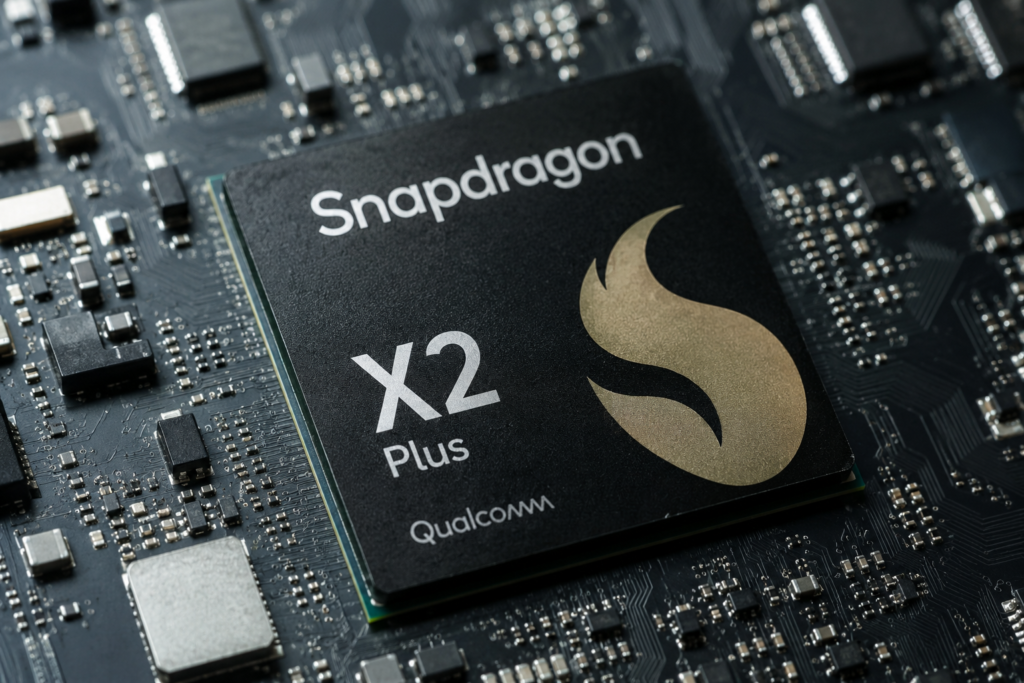
Qualcomm Snapdragon X2 Plus Benchmark Summary
Early independent results for the Snapdragon X2 Plus X2P-64-100 show approximately:
| Benchmark | Snapdragon X2 Plus X2P-64-100 |
| Geekbench 6 Single-Core | ~3,072 average in Notebookcheck’s current sample |
| Geekbench 6 Multi-Core | ~13,600 average |
| Geekbench 6 Single-Core maximum observed by Notebookcheck | 3,265 |
| Geekbench 6 Multi-Core maximum observed by Notebookcheck | 14,277 |
| NanoReview Geekbench 6 Single-Core | 3,279 |
| NanoReview Geekbench 6 Multi-Core | 14,381 |
| Cinebench 2024 Single-Core | 120 |
| Cinebench 2024 Multi-Core | 889 |
| PassMark Single-Thread | ~4,013 |
| PassMark CPU Mark | ~25,845 |
Results vary because laptop cooling, firmware, power limits, memory configuration and benchmark versions can affect performance.
That variation is important.
A processor does not perform identically in every laptop. A thin tablet-style device may prioritize temperature and battery life, while a larger notebook can give the same processor more sustained power.
Snapdragon X2 Plus Geekbench 6 Benchmark
Geekbench is highly useful for measuring CPU responsiveness and multi-core computing performance across different processor architectures.
Geekbench 6 Single-Core Performance
Notebookcheck has reported Geekbench 6.7.1 results for the Snapdragon X2 Plus X2P-64-100 in this range:
2,878 to 3,265 points
…and an average of approximately:
3,072 points.
NanoReview’s database shows the following single-core result for Geekbench 6:
3,279 points.
This demonstrates strong single-threaded performance for a processor designed for thin-and-light laptops.
Why Single-Core Performance Matters
Many everyday tasks do not fully utilize all available CPU cores.
Strong single-core performance benefits the following tasks:
- Opening applications
- Web browsing
- Office applications
- JavaScript-heavy websites
- UI responsiveness
- Light coding
- Photo editing
- General Windows responsiveness
This is one of the most significant improvements in the new architecture.
Qualcomm claims that its third-generation Oryon CPU can deliver up to 35% faster single-core CPU performance compared to the previous generation, while consuming less power under the company’s specified testing conditions.
When planning to buy a laptop, independent benchmarks should always be prioritized over manufacturer claims; however, available results support the general conclusion that single-core performance has improved significantly.
Geekbench 6 Multi-Core Performance
Multi-core performance measures how well the processor handles workloads that can utilize multiple CPU cores simultaneously. Notebookcheck currently reports figures in this range:
12,923–14,277 points
…for the X2P-64-100 in Geekbench 6.7.1, with an average of approximately:
13,600 points.
NanoReview reports:
14,381 points.
What does this mean in real-world terms?
Strong multi-core performance aids in tasks such as:
- Code compilation
- File compression
- Video encoding
- Multitasking
- Data processing
- Photo exporting
- Handling large spreadsheets
- Background applications
- Specific professional creative workflows
If sustained multi-core performance is essential, the 10-core X2P-64-100 model in the Snapdragon X2 Plus lineup is the right choice.
Snapdragon X2 Plus Cinebench Benchmark
Cinebench is another popular benchmark for measuring CPU rendering performance.
According to NanoReview, the X2P-64-100 currently scores approximately:
Cinebench 2024
Single-core: 120
Multi-core: 889
These figures demonstrate that the chip’s greatest strength isn’t merely its high core count; its robust single-threaded architecture helps keep the processor fast and responsive during everyday tasks.
Snapdragon X2 Plus vs. Snapdragon X Plus
This is arguably the most important comparison.
The original Snapdragon X Plus helped bring ARM-powered Windows PCs into a more affordable price category. The Snapdragon X2 Plus aims to boost performance while retaining Snapdragon’s efficiency-focused design.
These Geekbench 6 results are currently listed on NanoReview:
| Benchmark | Snapdragon X2 Plus X2P-64-100 | Snapdragon X Plus X1P-64-100 | Difference |
| Geekbench 6 Single-Core | 3,279 | 2,412 | ~36% |
| Geekbench 6 Multi-Core | 14,381 | 13,302 | ~8% |
| Cinebench 2024 Single | 120 | 110 | ~9% |
| Cinebench 2024 Multi | 889 | 855 | ~4% |
The exact percentage depends heavily on the benchmark, so there is no single universal number describing how much faster X2 Plus is.
However, one trend stands out:
The biggest improvement lies in single-core performance.
This is more significant than it might appear at first glance.
Faster single-thread performance can make Windows, browsers, and everyday apps feel snappier, even if the difference in multi-core benchmarks is minimal.
Snapdragon X2 Plus GPU Performance
Both X2 Plus processors utilize the Qualcomm Adreno X2-45 GPU, but they do not operate at the same frequency.
The X2P-64-100 GPU runs at speeds up to 1.7 GHz, whereas, according to Qualcomm, the X2P-42-100 GPU runs at approximately 0.91 GHz.
This is a substantial difference in frequency.
Therefore, those interested in graphics performance should not assume that 6-core and 10-core Snapdragon X2 Plus laptops will deliver identical results simply because both feature the “Adreno X2-45.”
What can the Adreno X2-45 do?
It is suitable for the following tasks:
- Everyday graphics acceleration
- High-resolution video playback
- Web apps
- Office tasks
- Light photo editing
- Casual gaming
- Certain creative apps
- GPU-accelerated Windows features
According to Qualcomm’s specifications, this GPU supports modern APIs such as DirectX 12.2, Vulkan 1.4, and OpenCL 3.0.
However, buyers should not gauge gaming capabilities solely based on GPU specifications.
Snapdragon X2 Plus AI Benchmarks and NPU Performance
AI represents one of the major upgrades for the Snapdragon X2 Plus platform.
Both versions feature an integrated Qualcomm Hexagon NPU with a capability of 80 TOPS. TOPS stands for Trillion Operations Per Second.
It is a theoretical measure of AI processing throughput, not a definitive indicator of how fast a specific AI app will run.
Why 80 TOPS matters
A dedicated NPU can accelerate on-device AI workloads and consumes less energy compared to running everything on the CPU or GPU. Potential use cases include:
- AI image effects
- Background removal
- Video-call effects
- Local AI assistants
- Speech processing
- Noise reduction
- Image enhancement
- AI-powered productivity tools
- Generative AI workloads optimized for NPUs
Snapdragon X2 Plus systems also appear in the Geekbench AI benchmark database, although AI benchmark scores can vary significantly depending on the model, framework, and backend.
The key takeaway for buyers is:
Both X2 Plus models feature the full 80 TOPS NPU rating.
Choosing the more affordable 6-core model does not result in reduced NPU specifications.
Snapdragon X2 Plus X2P-64-100 vs. X2P-42-100
It is important to note this distinction.
X2P-64-100: 10-core version
The enhanced X2 Plus includes:
- 10 CPU cores
- 6 Prime cores
- 4 Performance cores
- Single-core boost up to
- 4.04 GHz
- Total 34 MB cache
- Adreno X2-45 at 1.7 GHz
- 80 TOPS NPU
Best for:
- Professionals
- Heavy multitasking
- Developers
- Content creators
- Demanding productivity tasks
- Buyers who use their laptops for extended periods
X2P-42-100: 6-core version
The lower-tier configuration offers:
- 6 Prime CPU cores
- No additional performance cores
- Single-core boost up to 4.04 GHz
- 22 MB cache
- Adreno X2-45 at approximately 0.91 GHz
- 80 TOPS NPU
Current figures for the X2P-42-100 in the PassMark database are approximately:
CPU Mark: 16,980
Single Thread: 4,022
However, PassMark currently has very few samples for this processor and has explicitly noted a moderate margin of error. Therefore, these figures should be viewed as early indicators rather than definitive performance averages.
Best for:
- Students
- Office users
- Web browsing
- Video streaming
- Everyday productivity tasks
- Users who prioritize efficiency over high multi-core speed
Real-world performance of the Snapdragon X2 Plus
Synthetic benchmarks are useful, but they don’t tell the whole story.
Consider two types of users.
Scenario 1: Office Professional
You regularly use:
- Chrome or Edge
- Microsoft Word
- Excel
- PowerPoint
- Teams
- Zoom
- Spotify
- Cloud storage
For this type of work, fast single-core performance and efficiency are highly beneficial.
The Snapdragon X2 Plus would be an excellent choice for this type of user.
Scenario 2: Content Creator
Your work involves:
- Photoshop
- Lightroom
- Video editing
- Large exports
- AI image tools
- Many browser tabs
Here, the 10-core X2P-64-100 would be more suitable, as it features more CPU cores and significantly higher GPU frequency.
Application compatibility also matters.
Compatibility for Windows on ARM has improved significantly; however, buyers who rely on specific Windows software, drivers, plug-ins, anti-cheat systems, or legacy peripherals should verify ARM compatibility before purchasing.
Checking this may be more important than a difference of a few percentage points in benchmark scores.
Snapdragon X2 Plus performance per watt
When it comes to Snapdragon, raw speed isn’t everything.
Qualcomm places great emphasis on efficiency and states that, with the right device design, the Snapdragon X2 Plus can deliver multi-day battery life. Qualcomm also claims that its third-generation Oryon CPU can deliver up to 35% faster single-core performance while consuming 43% less power compared to the previous generation (based on their testing methodology).
These are manufacturer claims, not definitive results regarding actual laptop battery life. Actual battery life depends on factors such as:
- Battery capacity
- Display size
- Display resolution
- Refresh rate
- Screen brightness
- Laptop cooling
- Manufacturer power settings
- Wi-Fi or 5G usage
- Applications
- Workload
- Windows settings
Therefore:
Do not assume that “multi-day battery life” means every Snapdragon X2 Plus laptop will last for several full working days.
Checking independent reviews for each specific laptop is essential.
Snapdragon X2 Plus Gaming Performance
Can you game on the Snapdragon X2 Plus? Yes, but gaming shouldn’t be the primary reason for buying it.
The Adreno GPU can handle compatible games, especially at moderate settings, but Windows gaming performance is influenced by factors beyond just GPU speed. Potential limitations include:
- ARM compatibility
- Game-specific optimization
- Anti-cheat compatibility
- Driver support
- Emulation overhead
- GPU performance differences between X2 Plus variants
For those interested in gaming, the 10-core X2P-64-100 is the better choice because its Adreno X2-45 GPU runs at a significantly higher frequency than the GPU in the X2P-42-100.
However, for serious AAA gaming, a laptop with a capable discrete GPU remains the safer bet.
Snapdragon X2 Plus Pros and Cons Pros
Pros
Strong single-core CPU performance
Early benchmark results indicate that the X2 Plus can deliver fast and responsive performance for everyday tasks.
Excellent AI hardware
Both variants feature the 80 TOPS Hexagon NPU.
Efficiency-focused architecture
Snapdragon consistently emphasizes strong performance-per-watt.
Fast memory subsystem
Qualcomm has announced support for LPDDR5X and memory bandwidth of up to 152 GB/s.
Modern connectivity
The platform supports technologies like Wi-Fi 7, and additional connectivity options are available depending on the laptop configuration.
Great choice for thin laptops
This platform is designed for portable Windows PCs where both battery efficiency and performance are essential.
Cons
ARM compatibility still requires attention
Some older software or hardware may not function exactly as it does on traditional x86 Windows systems.
Significant differences between the two X2 Plus versions
The 6-core version has four fewer CPU cores, and its GPU runs at a much lower frequency.
Not primarily designed for high-end gaming
Serious gamers would generally prefer more powerful dedicated graphics.
Implementation in the laptop matters
Due to differences in cooling and power settings, benchmark results can vary significantly between devices using the same processor.
Benchmark data is still coming in
The platform is new, and only a limited number of samples are available in some databases.
Should you buy a laptop with the Snapdragon X2 Plus?
Buy it if you want:
- Excellent Windows performance for everyday tasks
- Superb single-core responsiveness
- The potential for long battery life
- A thin and light laptop
- Powerful on-device AI hardware
- A Copilot+ PC
- Quiet and efficient mobile computing
- Modern connectivity
Consider a different platform if you need:
- Top-tier gaming performance
- A powerful discrete GPU
- Guaranteed compatibility with legacy x86 software
- Specialized drivers or peripherals
- Workstation-class multi-core performance
Which Snapdragon X2 Plus should you choose?
For most performance-focused buyers, the advice is clear:
If the price difference makes sense, choose the X2P-64-100.
Four extra CPU cores, a larger cache, and significantly higher GPU frequency make it a better long-term choice.
Choose the X2P-42-100 if:
- The laptop is significantly cheaper
- Your work is primarily office-based
- You prioritize portability
- You don’t need heavy-duty multi-core performance
- Gaming isn’t a priority
Most importantly, compare the entire laptop, not just the processor.
A better display, larger battery, robust cooling system, more RAM, or a superior SSD can make a laptop a much better buy, even if another model has a slightly faster processor.
Qualcomm Snapdragon X2 Plus Benchmarks: The Verdict
Qualcomm Snapdragon X2 Plus benchmarks show that Qualcomm has made significant strides with its second-generation mainstream Windows ARM platform.
The most notable improvement is in single-core CPU performance. According to current independent results, the 10-core X2P-64-100 scores in the 3,000–3,300 range in the Geekbench 6 single-core test, while multi-core scores can reach around 14,000 or higher, depending on the laptop.
Combine this with an 80 TOPS NPU, a modern LPDDR5X memory subsystem, and an efficiency-focused architecture, and the X2 Plus becomes an excellent platform for productivity-oriented Copilot+ PCs.
The 10-core X2P-64-100 is the version to watch. While the 6-core X2P-42-100 is a good option for budget-friendly systems, the lower core count and significantly slower GPU configuration result in a substantial performance gap—a difference far greater than their similar names might suggest.
The Snapdragon X2 Plus appears to be a strong contender for everyday tasks, business use, web browsing, AI applications, and portable computing.
Just keep one thing in mind before buying:
Don’t buy it based solely on the Snapdragon X2 Plus name or badge; instead, check the specific processor model and be sure to read independent reviews of the laptop.
Conclusion
The Snapdragon X2 Plus is much more than just a clock-speed upgrade. Qualcomm has improved CPU performance, enhanced AI capabilities, and emphasized efficiency. Early benchmarks make the X2P-64-100 particularly interesting for thin and light Windows laptops.
However, benchmarks should be considered just one part of the purchasing decision. Factors such as battery size, cooling, RAM, storage, display quality, software compatibility, and price are just as important as the processor.
If you are considering buying a Snapdragon X2 Plus laptop, compare the specific model against Intel, AMD, and Apple-powered machines before making a decision.
Have you ever used a Snapdragon-powered Windows PC? Share your experience in the comments. If you found this benchmark guide helpful, please share it with someone who is comparing options for their next laptop, and subscribe for more processor benchmarks, AI PC comparisons, and tech guides.
Frequently Asked Questions
1. What is the Geekbench 6 score of the Snapdragon X2 Plus?
Current independent results for the 10-core Snapdragon X2 Plus X2P-64-100 indicate that, depending on the device and benchmark version, it achieves approximately 3,000–3,300 points in Geekbench 6 single-core testing and around 13,000–14,400 points in multi-core testing.
2. Is the Snapdragon X2 Plus faster than the Snapdragon X Plus?
Yes, especially in single-core performance. Current Geekbench 6 data from NanoReview shows that the X2P-64-100 has a single-core score of 3,279, whereas the X1P-64-100 scores 2,412, although performance differences may vary across different benchmarks.
3. How many cores does the Snapdragon X2 Plus have?
The Snapdragon X2 Plus comes in 10-core and 6-core configurations. The X2P-64-100 features 10 cores, while the X2P-42-100 has six cores.
4. What is the Snapdragon X2 Plus X2P-64-100?
The X2P-64-100 is the high-end variant of the Snapdragon X2 Plus. It features 10 Oryon CPU cores, a total of 34 MB of cache, an Adreno X2-45 GPU running at 1.7 GHz, and an 80 TOPS Hexagon NPU.
5. Is the Snapdragon X2 Plus good for gaming?
It can run compatible Windows games, but it is primarily designed for productivity, efficiency, and AI-enabled portable PCs rather than high-end gaming. Compatibility and performance may vary depending on the specific game.
6. Is the Snapdragon X2 Plus good for video editing?
The 10-core X2P-64-100 is excellent for light-to-moderate content creation workloads using ARM-optimized applications. Professional editors should verify the compatibility of applications, codecs, and plug-ins before purchasing.
7. How powerful is the Snapdragon X2 Plus NPU?
Both variants of the Snapdragon X2 Plus feature the Qualcomm Hexagon NPU, delivering 80 TOPS of AI performance.
8. What is the difference between the 10-core and 6-core Snapdragon X2 Plus variants?
The 10-core X2P-64-100 features four additional performance cores, a total of 34 MB of cache (compared to 22 MB), and a significantly higher GPU frequency of 1.7 GHz (compared to approximately 0.91 GHz). Both variants feature the 80 TOPS NPU.
9. Does the Snapdragon X2 Plus support Windows 11?
Yes. The Snapdragon X2 Plus is designed for modern Windows 11 Copilot+ PCs. Qualcomm has introduced this platform specifically as part of its growing ecosystem of Snapdragon-powered Windows PCs.
10. Is buying the Snapdragon X2 Plus a good idea in 2026?
It can be an excellent choice for users who prioritize fast performance, portability, AI capabilities, and battery efficiency. However, buyers who rely on specific legacy Windows applications, specialized drivers, or high-end PC gaming should check for compatibility before purchasing.
Also Read: Techlymate